If you’re releasing music in 2026, whether on Spotify, Apple Music, vinyl, or any other format, you’ll need an ISRC for every track. But what exactly is an ISRC, how do you get one, and why does it matter?
This guide covers everything you need to know about ISRCs: what they are, how they work with streaming platforms, how to obtain them in Australia, and common mistakes to avoid.
What is an ISRC?
ISRC stands for International Standard Recording Code. It’s a unique 12-character alphanumeric code assigned to an individual sound recording. Think of it as a digital fingerprint for your track, distinguishing it from every other recording in existence.
An ISRC looks like this: AU-S30-24-00001
The code breaks down as follows:
Segment
Meaning
Example
Country code
Country of the registrant
AU (Australia)
Registrant code
Assigned to the organisation
S30
Year of reference
Year the code was assigned
24 (2024)
Designation code
Unique number for the recording
00001
Every distinct recording gets its own ISRC. If you release the same song as a single, then again on an album, and later as a remastered version, each version receives a separate ISRC.
Why Do ISRCs Matter?
ISRCs serve three critical functions for anyone releasing music:
1. Royalty tracking. Streaming platforms, radio broadcasters, and collection societies use ISRCs to identify recordings and attribute plays to the correct rights holders. Without an ISRC, your streams and sales may not be properly tracked, which means lost revenue.
2. Catalogue management. Labels, distributors, publishers, and organisations like ARIA and APRA AMCOS use ISRCs to catalogue recordings efficiently. When your music appears on multiple platforms and in multiple territories, the ISRC is what ties it all together.
3. Platform requirements. Most digital distributors and streaming platforms require an ISRC for every track you upload. Spotify, Apple Music, Amazon Music, TIDAL, and YouTube Music all use ISRCs as part of their metadata requirements.
If you want to earn income from your recordings, ISRCs make that possible by ensuring every play, sale, and broadcast is properly attributed to you.
ISRCs and Streaming Platforms
When you upload music through a digital distributor, each track’s ISRC is embedded in the metadata that gets sent to streaming platforms. This is how platforms like Spotify and Apple Music identify your recording, even if multiple distributors deliver the same track.
This is particularly important if you:
Switch distributors and need your existing streams to carry over
Have the same recording available on multiple services
Want to ensure radio plays and sync placements are tracked back to your recording
The ISRC stays with the recording for its entire lifecycle. It does not change if you switch distributors, re-release the track, or license it to a different territory.
How to Get ISRCs in Australia
There are two main ways to obtain ISRCs:
Option 1: Through Your Digital Distributor
The simplest approach. Most digital distributors (including DistroKid, TuneCore, CD Baby, and LANDR) automatically generate and assign ISRCs to your tracks as part of the upload process. If you’re using a distributor, you likely already have ISRCs without needing to do anything extra.
Option 2: Directly Through ARIA
If you are the rights holder for Australian recordings, you can request a registrant code from ARIA (Australian Recording Industry Association) by completing their ISRC Rights Holder Form and emailing it to isrc@aria.com.au. ARIA will provide you with a registrant code and instructions for generating your own ISRCs. This process is free and typically takes 1 to 2 business days.
Once you have a registrant code, you can create ISRCs for all your future releases without needing to contact ARIA again.
Important note for signed artists: if you are signed to a record label, your label usually handles ISRC assignment internally. Check with your label before obtaining ISRCs independently to avoid duplicate codes being issued for the same recording.
ISRC vs UPC: What’s the Difference?
This is one of the most common points of confusion for independent artists. Both are identification codes, but they serve different purposes:
A single album with 10 tracks would have one UPC (for the album as a product) and ten ISRCs (one for each track). If you release a track as both a single and as part of an album, the ISRC stays the same, but each release gets its own UPC.
Most digital distributors handle both UPC and ISRC assignment automatically.
Common ISRC Mistakes to Avoid
Assigning the same ISRC to different recordings. Each distinct recording must have its own unique ISRC. A live version, a remix, a radio edit, and a remaster of the same song each need separate codes.
Assigning different ISRCs to the same recording. If the exact same recording appears on a single and then on an album, it should keep the same ISRC. Assigning a new code makes it harder for platforms to consolidate your streams and royalties.
Not including ISRCs in your metadata. Even if your distributor generates the codes automatically, check that they appear correctly in your release metadata. Missing or incorrect ISRCs can cause royalty tracking issues.
Paying for ISRCs unnecessarily. ISRCs are free to obtain through ARIA in Australia and through most digital distributors. Be cautious of third-party services that charge significant fees for ISRC generation.
Frequently Asked Questions
What is an ISRC code? ISRC stands for International Standard Recording Code. It’s a unique 12-character code assigned to an individual sound recording, used to track plays, streams, and sales across platforms worldwide.
Are ISRCs free? Yes. In Australia, ARIA issues registrant codes at no charge. Most digital distributors also generate ISRCs automatically as part of the upload process.
Do I need an ISRC to release music on Spotify? Yes. Spotify and most other streaming platforms require an ISRC for every track. Your digital distributor will typically handle this automatically.
Does the ISRC change if I switch distributors? No. The ISRC stays with the recording permanently. If you move to a new distributor, use the same ISRCs to ensure your existing streams and data carry over.
What’s the difference between an ISRC and a UPC? An ISRC identifies a single recording (one song). A UPC identifies a product (an album, EP, or single release). An album with 10 tracks has one UPC and ten ISRCs.
Can I get ISRCs from Studios 301? Yes. We can issue ISRCs as part of your mastering session, which is particularly useful for physical formats (CD, vinyl) where the code needs to be embedded in the master. Get in touch to arrange this.
Get Your Music Mastered and Ready for Release
ISRCs are just one part of preparing your music for the world. Studios 301 offers professional online mastering with ISRC assignment included on request.
We have just completed a very special interview with none other than producer extraordinaire, Nick Launay. Nick is a veteran of the tape medium, and having had a long standing relationship with both 301 and Steve Smart, he was very kind to offer us his time to share his insights and some hilarious (read: outstanding) stories over a mammoth talk we had with him.
For those that may not know, Nick is an English music Producer, Engineer, and Mixer who has worked with everyone from Arcade Fire, Yeah Yeah Yeahs, Midnight Oil and INXS, to Grinderman, Kate Bush, Phil Collins and Talking Heads – basically, he’s a bonafide legend, and an awfully nice chap to boot.
The focus for our discussion with Nick was to learn about his appreciation of tape – that being, everything from tape splicing, his techniques, the technology, right through to its glorified sound.
To begin the series, he reveals his philosophy on “Analogue vs Digital”.
301: Do you find yourself going back & forth between mediums? For example there are artists like Lenny Kravitz who have gone and bought famous old desks and tape machines, only to dive into large ProTools systems, then later gone back to tape.
Nick: I don’t go back and forth. I would say I go forth only.
301: And what direction is forth?
Nick: Well, I record through vintage equipment all the time, always and only. I capture onto digital through the best A/Ds [analogue to digital convertors] I can find, which are Lavry or Prisms. Those are the two I like the best.
301: Are you going through pre-amps of any sort?
Nick: The studio I use in LA is one my friend owns, but I use all the time. There’s an API desk on its knees over there, and I have a rack of 16x Neve 1081s, so it’s half of a Neve and half an API that totals 48 channels. So I’m going through the best analogue that was ever made. I’m also using vintage tube and ribbon mics.
301: Do you go to tape?
Nick: I don’t print to tape anymore, I used to though. The thing with that is that I’ve worked out other ways of getting that same feeling. And let’s be very clear about one thing… Music primarily is about feeling. That’s what it’s about. The difference between a record that people like or don’t like is the feeling. So the whole romantic thing about analogue tape is, “what feeling is it giving you”? And I think once you recognise that and hone in on that… Is it then about the saturation of the tape? Is it about the distortion of the tape? Is it about the hiss?
It is about all of those things, and those are the names that we can identify, and put onto these things that are important to us. But it’s the feeling that it gives us, versus the incredibly stark nature of digital – which is just this kind of square box instead of it having curves. So I think that there are ways of creating the feeling of analogue tape by cleverly using analogue equipment, and there are also lots of plug-ins that are actually very good.
301: In that case, what is your view of tape emulation plug-ins?
Nick: I think some of them are good. I haven’t used a lot of them. I, again, have different ways of doing things. I think a lot of the great feeling that we used to get from analogue was actually the saturation and distortion. So I use distortion a lot.
301: What about analogue distortion?
Nick: Well, I use Decapitator. Decapitator’s great. I also use Radiator. The thing, I think, the good thing that I have is that I have this very, very strong memory and experience of analogue. So I know what I want to hear and I achieve those sounds and those feelings by using various plug-ins to create it.
301: So when you are using plug-ins, you are referencing your hardware experience?
Nick: Yes, in my mind. I’m trying to get back that feeling and I think I managed to achieve it by using various plug-ins. I put things through Amp Farm and Sansamp. The Decapitator is my favourite because you can really vary it a lot. I haven’t used lots of tape simulators like HEAT. I think there are a lot of clever people out there, inventing things within the digital domain now. And I think they’ve got it right. A big round of applause to them because they’ve kind of worked out…. ‘What is it about this analogue thing?’.
For many years, I avoided digital. And then it came – when Pro Tools started being a tool, a very, very sophisticated editing tool, I couldn’t ignore it and I wanted it. So what I ended up doing was recording my backing tracks to tape and my overdubs to Pro Tools. Bear in mind that whenever I work with a band, I always record the whole band together. So let’s say with your average band, you’ve got your bass player, drummer, and two guitar players. So I would do my backing track, i.e. drummer, bass player, and two guitar players all playing at once, playing the song, and then record that onto analogue tape…. that’s 24-track tape. Then I got
it and edited the tape to get the arrangement. Once I was absolutely certain that the arrangement of the song on the tape was brilliant, I would then stripe it with code, and I would then sync it up to Pro Tools and transfer everything into Pro Tools. Then I would continue all my overdubs in Pro Tools. So I’d do all my vocals and vocal comps and guitar takes – and then once I finished, I would sync it up again. When I came to mixing, I would sync up the original 24-track analogue up to Pro Tools and I would mix. So about 50% of what I was mixing was absolutely analogue, analogue, analogue, all original. So the drums, bass, and main guitars were the analogue and all my guitar, keyboards, overdubs, vocal comps, backing vocals, and strings sections would be on digital. I did that for many, many years, probably ten years.
And then about six years ago, I stopped doing that. And the reason for that was when we went to 96kHz. I could hear the difference and it was satisfactory – it was because of two factors.
Pro Tools got better sonically. The A/D converters got better. Prisms suddenly existed and also this whole thing of using Pro Tools A/Ds with a library Clock or Big Ben made a huge massive difference. Suddenly, digital didn’t sound quite as bad as it used to. That’s one factor. The other factor which I think you cannot ignore, is that iTunes suddenly became the main way that people are listening to music. In iTunes, most people were listening to MP3s. So in my mind, I just could not justify the little bit of difference that was now the difference between analogue and digital in ‘good digital’.
On top of that, there’s also the expense of tape, which now costs about $400 a reel. And the tape machine lining up and realigning, and then the copying time – It was just eating up so much studio time. For one album, you had to add almost two weeks of studio time just for tape transfers and rewinding. The other thing that I started realising, is that young bands that were not used to analogue. Suddenly the singer would be in the mood, they’d do a take, they’d do a great take, and they want to do another one. No. With tape, you have to sit there and wait for the tape to rewind. And then the vibe’s gone. So suddenly I was like, “Hang on. I’m weighing up this tiny bit of romantic-ness of tape versus the reality that most people are gonna listen to an MP3 on iTunes.” … it doesn’t add up.
So that’s when I stopped using analogue recording.
Come back soon for the next part in this series, where Nick discusses tape splicing.
In the meantime, you can also read an interview with Nick in the latest issue of Audio Technology.
To understand the strengths of each instrument, we gave three of our engineers, Simon Todkill, Jono Baker and Simon Cohen, the challenge of recording these pianos in the purest (is that the best?) way possible.
The final recordings are below…
Both pianos were recorded at 24/96 with a stereo pair of AKG c414b-uls and Coles 4038 microphones. They were hooked up to SSL Alpha pre-amps running into an Apogee Rosetta 200 convertor. Some recordings (as per their names) also have room mics, which were AKG c414xl2 microphones recorded through our Neve 88R console pre-amps. No compression, eq or other processing has been applied.
You can download these recordings to hear them in their full glory!
To book a recording session with these pianos, Please contact Kimberly on recording@studios301.com or 02 9698 5888
Together with our friends at Ableton Liveschool, we recently got hold of the yet-to-be-released Roland AIRA TR-8. Not only did we sample a selection of its awesome 808 and 909-style sounds, we then we ran it through our recently serviced and incredibly rare Fairchild 670 Valve compressor…
Ooops! The samples went up a bit too soon. Join our mailing list to be notified of future sample pack releases.
It has been nearly two years since Apple launched “Mastered For iTunes” and almost as long since Studios 301 started mastering for the format. Over this time, Leon Zervos has mastered more releases for iTunes than most other mastering engineers combined, and as a result has a few thoughts about hi quality audio, good and bad mp3’s, and a bit of nostalgia for how it once was….
To book Leon Zervos for your mastering project, contact Lynley on mastering@studios301.com or 02 9698 5888
The beginning of mp3
When all the downloading started, everyone was making/taking 128 mp3s and as a result, there was almost half a generation that got too used to listening to bad sound. They were accepting that as how music should be listened to. I even remember getting some files for mastering and they’d converted from 128kb mp3 to 44.1kHz wav. You could hear it straight away.
So I think we have to thank Apple for taking the initiative, for effectively saying “No, no, we’re going to shoot for the stars here. We want everything to be as high-res as possible.”
The change in consumer headphones
At the same time that poor quality mp3’s were being used; people were listening to music on tiny little ear buds that were shocking. They weren’t even the slightly better quality ones from Apple we currently have. Now you look in the street and see guys walking around with big headphones – Beats, Sennheiser and many other higher quality brands. It’s taking music, and the listening experience, to another level. So now people are demanding higher standards of audio and people are getting used to it.
The difference between a 128kb mp3’s, 256kb AAC (iTunes) and a hi-res audio file
For a start, the stereo imaging is completely different. The imaging in a high-res file is true, It’s got depth and clarity. A 128 mp3 just sounds horrible.
An iTunes AAC file (at 256kb) is a big step up. I still think a CD at 44.1/16-bit is better – much better. But will the regular guy or girl in the street hear the difference? I don’t know. But in a studio environment, you can hear it straight away. There’s no guesswork, you can pick it.
How we got used to 128kb mp3s.
I think a lot of people don’t know because they’re not in a professional environment like we are, where we can sit down and compare things. I think if they were, they’d go, “Wow! That sounds so much better,” then they’d use that, they’d always demand that. I mean, like I said, we’re always striving for the best.
In the days of vinyl, record companies were cutting discs and they would get test pressings first, they would listen to it as well as the producer, musicians and engineers. If it wasn’t right, they’d re-cut, there would be more pressings, then re-pressings if needed, until it was perfect. There was this safety net in the process and everyone signed off on it when they were happy with the record. Nowadays, probably because of tighter deadlines, this doesn’t happen and there is no safety net. And then it comes out and then it’s down-sampled or converted and it sounds different again.
Apple is now storing files at up to 24/96 on their iTunes servers.
As part of their Mastered For iTunes initiative, Apple receive the files from the label exactly as we mastered them, at up to 24 bit, 96kHz for storage on their servers. These files don’t get sold to the customer (they go through Apple’s codec to convert to AAC), however it is intriguing that they are keeping these files on their systems. Why are they doing this?
Maybe they don’t know themselves yet, perhaps they’re just future proofing. I think keeping everything at 24/96 is the best possible thing to do. In the future, when downloads become quicker and drive space is not an issue, perhaps we will be listening to everything at 96kHz. And that’ll happen, but you probably wouldn’t even need the storage space because you’ll be listening to something that’s getting streamed at 96kHz – which would be perfect.
Referencing mixes at 128kb
I get people occasionally sending me a YouTube link to “make it sound like this”. Streaming music from YouTube and Soundcloud (as opposed to downloading) is usually at 128kb and this is not desirable for me. When the client sends me a link, sometimes I don’t even go and listen to it because I’m just not prepared to reference lo-res audio, as a comparison to what I’m doing here in my studio. At full bandwidth and with the equipment I have – it just doesn’t stack up.
Comparing a 128k stream to a hi-res file is like comparing apples to oranges.
I think it’s really dangerous because, again, it’s going back to people getting used to a bad-sounding audio and thinking that’s how it should be. If they had the high-res file (or even a CD) of the song, they could use that as a reference, because that’s what was done at the final stage and that’s what was approved by the producer/artist/label. Anything else as a reference shouldn’t be used because it’s gone through some kind of data compression and the sound has changed.
I think if you’re going get to the point where you’re mixing, and you’re calling yourself professional, you should be doing it in a professional way. Streaming it on Soundcloud or YouTube is not professional. Buy the CD or find some way to get the best possible high-res file you can get of that song. I couldn’t listen to it streaming at 128kb and use that as the reference when I know there’s something much better out there.
“Mastered for iTunes is a marketing ploy by Apple”
I think, at a professional level, a company that wants to accept files that are only of a certain quality is very good. Let’s face it, Apple are a company, they’re in business to make money. And if this is a sales pitch and they’re making money off it, fine. But the upside for music lovers is that one of the biggest companies in the world is creating awareness of higher audio quality.
Hi resolution masters (24/44 and higher)
If I were the artist, I’d want to have in my possession the best possible master that could be done. And if it’s out there and it’s available at 24-bit, it might entice more people to download and listen to it.
As engineers, we’ve always wanted to better what we do in audio. Through the years, we had quarter-inch 15 IPS tape, then we had quarter-inch 30 IPS, then it was half-inch 30 IPS. Then digital came in and has been greatly improved over the years, particularly with better convertors – always advancing. So I think it’s only natural that the industry should move forward all the time, instead of settling for something that doesn’t sound good.
When cassettes came out, you had the choice of low-noise cassettes, chrome cassettes, metal cassettes, there were different brands, and you could go and get your preferred type. With mp3’s, it’s almost like the music that was coming out a few years ago was coming out on ordinary cassettes and Apple are trying to make everything come out on noiseless metal tape. So if I were an artist, I’d want my music to come out the best way possible.
To book Leon Zervos for your mastering project, contact Lynley on mastering@studios301.com or 02 9698 5888
From the Desk of Steve Smart: Mastering for Vinyl – Part 3
Steve with the Vinyl cutting lathe.
Going back to your time as a vinyl cutting engineer, what was the day-to-day process?
First of all, when the engineer finished mixing, either they or the assistant would put together the many different takes of the mixes onto two reels of tape – for side 1 and side 2 of the LP. They put the gaps the way they wanted them, but there would be discrepancies between the individual tracks – the volume level and the individual sound/tone – which affected the continuity of the album. And that’s where the first mastering engineer truly was a master engineer. He would get the master tape, play the reel through, make some notes, set-up some equalisers and compressors for each individual track and then, with those settings in mind, and in real time, transfer or cut that tape on to a disc by means of a cutting lathe.
Would you change the settings on the mastering gear between songs or would you do a quick patch to other units?
Well, we had the luxury of four equalizers, where two equalizers were used for the operation of each song. One equalizer being for the music that went to the cutter head, the other equaliser being for the music that went to the brains of the lathe. This “brain” was called the preview, because the lathe had to mechanically know what was coming up at the same time as what was going into the groove itself.
So there was one bank of EQ (two units) for one song, and while that song was actually cutting, you’d set up the second bank of EQs. During the crossfade or the gap between songs, you’d simply crossfade between one batch of EQs to the other. Then, while that next song was travelling along, you’d set up the next bank of EQs for the song following.
It was very attention grabbing. You had to set up your EQs and your compressors and you had to also drive the lathe at the same time. Fortunately, everything was on remote control to the central desks so you could keep it all within hand-grabbing distance. But it was quite fast and furious and if anything went horribly wrong, that whole cut just simply went in the bin – it was ruined.
Custom Mastering Room
What would be the success rate for cuts generally?
Well, a good cutting engineer knew exactly what to do – he could play a tape, knew what potential problems may be laying in the music itself, and note the corrections that had to be made. Let’s just say if there was a ballad followed by a big rock track, a cutting engineer would guesstimate how much real estate would be consumed by the various amounts of “energy” in each song. The ballad would take up less room, the rock track requiring a lot more, so you’d plan your consumption of the side of the record to accommodate. If you had, say, 25 minutes per side, you could get away with cutting that at -2dB, or -1dB if you are lucky, depending on what sort of music it was.
But you also did little test cuts of each track just to make sure that it translated to the actual lacquer and played back as you intended, because it was also the slight change of the physical playback of the groove itself that influenced it greatly.
How does the audio content affect the grooves on a record?
If it’s a mono signal, the groove remains at the same depth, but moves from side to side, known as a lateral excursion. If it’s in stereo, and the content of that groove exceeds a certain degree of phase, the groove depth (known as vertical excursion) can change anywhere between 10 to 50 microns. It’s always noted that in record cutting, a groove is half as deep as it appears wide (by physical design). So when you’ve got stereo information in low frequency content, you don’t really have a lot of depth to play with before you actually end up with a groove that’s so small, that it’s smaller than the point of the playback stylus on the turntable. So, that stylus will want to force itself towards the centre of the groove.
Conversely, if you’ve got a groove that’s too deep, then when in the cutting process, it can actually cut so deep that it can go into the aluminium substrate of the lacquer itself. That will completely sever the tip of the ruby stylus, which is very costly.
Essentially, the thing that dictates the depth/width of the groove is the amount of time that the music runs for, versus the song volume levels that you wanted to cut the record at.
CBS DISComputer Lathe
Is there anything to bear in mind with the high frequencies when cutting?
It’s interesting because I think it begins when you are recording an actual track itself. If you recorded a kick drum onto a tape machine at excessive level, it would start to overload, distort and bleed into the other tracks on the multi track tape. Also, there was a very strict level of what you could record a hi-hat at. The medium of tape itself dictated at what level you could record. Interestingly, by the time you push the mix up, you generally find that those things were all in context. Things were, I guess, forced to be where they were.
If the mixing engineer or producer decided that he just wanted the hi-hat a little bit brighter or louder on the day, it was then up to the cutting engineer to decide whether he could get away with that or not. If the high frequencies were too excessive when cut to the lacquer, it would saturate and distort when played back. Also, high frequency grooves on lacquers are very jagged and would physically tear when you separated the metal from the lacquer (during the subsequent plating process).
So you had to, through experience, make an educated assumption of how much you can get away with. On some lathes, particularly the one that I’ve used and (I’ve still got a piece of the equipment from it), there were high frequency limiters installed for the sole purpose of protecting the cutting amps and the cutter head from overloading on high frequency. This is because the high frequencies demand the most amount of electric current from a cutter head. It has to generate – it has to resonate – that stylus at an incredibly high rate for it to carve that high frequency signal into the lacquer.
But, you know, the art of a good cutting engineer was just how much you could get away with.
What other roles were involved in the process?
There was a whole team of people and excellent manufacturing facilities required. I mean you had to have great quality lacquers, a great cutting lathe, a plating department…. And top quality silver, top quality nickel, and great quality vinyl to press records from…. Plus all of the fitters and turners that looked after the pressers and fed the steam lines. If everybody got it right, that whole company could produce a really high quality record. And there were companies, for example, like Deutsche Grammophon who used to be just be renowned for cutting fantastic classical records. They used to have it down pat, you know, they just really knew their stuff. It became an art form and engineers / producers who mixed records sought out specific cutting engineers, because they knew that they could get a really, really good sounding result on to the record at a really good level.
Part of the level thing was in order to cheat the surface noise, which was the biggest drawback of vinyl. It was that increasing surface noise each time you plated it, it just got louder and louder. And each time the dog sat near the record collection, you know, it just got dirtier and dirtier.
What about the vinyl wearing out?
The vinyl wearing over continual playing is an issue, as is the static dust that accumulates on a piece of black plastic like vinyl. They just got worse and worse over time and so, you know, major record companies used to make a killing out of just repressing. I think while I was working at CBS, I had to cut Bat Out of Hell by Meat Loaf more times than I’d care to remember!
301 Neumann HF Limiter
People kept buying it because it kept wearing out?
Well, it kept selling and it also kept wearing out and, you know, you can only get so many records pressed off the metal stampers (that pressed the vinyl) before they physically wear out. They just get blunt, you might say, and the cut sounds distorted and noisy.
You know, with all that said that vinyl records are great, they’re possibly one of the most environmentally unfriendly music carriages of all time. They are a petroleum based extract. The waste products that come from manufacturing a vinyl record are insurmountable. Getting rid of a bad bath of nickel and silver isn’t cheap these days. Apart from that, they’re hardly portable and they’re noisy and obtaining a vinyl cutting lathe, obtaining the nickel and the silver and the processing that goes with it, the presses, it’s no easy avenue to get into. It’s quite expensive accumulating all of that sort of equipment and putting it all back together and having enough work to – supplied to you – to meet your demands.
Once you’ve mastered something for vinyl, what is the process to actually get it onto vinyl?
In our vinyl mastering process, we aim to have the clients totally happy with the sound of that song, and possibly with some information garnished from us, go to a reputable vinyl cutting house.
Once the master leaves 301, the complete process of vinyl pressing is a series of stages. When something is mastered at 301, we supply the file, and the vinyl cutting engineer then uses a digital workstation to play that file back. He can simply lower the cutter head on to the lacquer and cut one side. This is the lacquer – well the record is actually two lacquers – Side 1 and Side 2. Those lacquers are then dipped in to a large chemical bath, which is charged with electricity, called an electrolysis galvanic plating process. The lacquer is dipped into the bath and coated with silver, then with nickel, growing the “plate” on its surface. This plate is then separated from the lacquer and is called a “father” (The lacquer is rendered useless and destroyed). The father is plated again, producing a “mother”, which can be played and checked. The mother is then plated again to produce a “stamper”. This whole process is repeated for the second side, then the two stampers are finally loaded into the pressing machine for bulk manufacturing of the vinyl.
People sometimes shortcut the three step plating process simply by generating a plate straight from the lacquer and putting that into the press. This is most commonly known as DMM cutting (Direct Metal Mastering).
The father and mother plating process is deemed necessary to mass-produce a record into thousands. If you are only doing a 500 run, you can go for the single plating process where you simply grow the metal stamper straight on to lacquer and then bolt that metal stamper into the press and press from that. That saves a lot of money, as it saves time and cuts down on waste.
I’ve noticed some records are heavy and some are light, why is this?
It depends on what sort of press is used. There were three pressing plants in Australia – EMI, Festival and CBS, and they used various methods for pressing (the CBS press where I worked was steam-rammed). You can hold the pressings from different plants up and you can definitely tell the difference between where they were pressed, just by physically looking at them.
Was one better quality than the other?
No, just different. Absolutely just different. Different ways of pressing the same thing. the CBS records were thinner and more flexible. The EMI and Festival records were much heavier.
What about coloured vinyl?
Standard vinyl is pressed using black plastic and the coloured vinyl can be whatever the client orders. When CBS was pressing coloured vinyl, they would have to change the bag of vinyl (that was feeding to the presses) to a particular colour. It would take a few attempts to get the colour to run clean (eliminating any black residue).
I used to like sneaking into the pressing factory when they were doing this, because the first records that were pressed were useless due to the remnants of the black vinyl in there. So, the first twenty or so had streaks of black and you always ended with really cool designs in them. I souvenired a few of those in my time!
To book Steve Smart for your mastering project, click here or contact Lynley on 02 9698 5888 or mastering@studios301.com
To book Sameer Sengupta for a mastering or mixdown session, contact Lynley via mastering@studios301.com or 02 9698 5888.
I have been one of the resident Mastering Engineers here at Studios 301 for almost 3 years. You can usually find me in MS2 where I specialise in mastering electronic music. Alongside mastering, I also make music, producing artists, and mixdown albums.
Today, I’ve decided to share some simple tricks I use when mixing drums.
[1] Snappy snares.
I use the Waves SSL Channel a lot when I online mixing drums – I discovered I can bring a really nice snap to things like snares, kicks, rim shots or sometimes even a stabby bass line, just by driving the input of the channel strip really hard. I wind up the input gain knob till the signal is well into the red… then bring down the fader so that the output signal isn’t clipping at all. Leave it in ‘Analog’ mode, and apply a little EQ as needed, and leave compression off. The result is a nicely saturated snare which is full bodied, yet snappy.
[2] Drum buss saturation
I use the PSP Vintage Warmer 2 in almost every mix. If you find that your drums are sounding a little ‘thin’ and lacking weight, instead of trying to layer additional drums on top, I suggest applying the PSP-VW2 across the entire drum buss. Start
off by winding the MIX all the way to 0%. Increase the DRIVE to around +4 to +10 depending on how thick you really it to sound… and then gently wind the MIX knob up till you can hear the drums thicken up, but can still hear the transients from the dry signal. Adjust the DRIVE to a point where the needles are kissing the Red occasionally, but not constantly clipping. Set the MIX amount till you like what you hear. Like parallel compression, this is parallel saturation – works a treat!
Another trick that I love is using the KNEE. If I find the drums are jumping around a little too much, instead of using a compressor, I’ll leave the DRIVE at zero, but dial in a little KNEE… this acts like a compressor, and will instantly ‘lock’ the sound from jumping around too much – but has a nice sound to it. Then adjust the SPEED knob to tweak the pumping. This works really well too for vocals.
If I’m trying to get that Chemical Brothers WALL OF BREAKBEATS sound… I will wind up the DRIVE knob significantly too, then just play with the MIX knob until you like what you hear.
Make sure you run it in FAT and MULTI mode… and I prefer to leave the Brickwall limiter OFF.
[3] EQ’ing Kicks
The Kick of any dance track is the single most important sound to ‘get right’ because the whole basis and signature of most dance tracks will stem from how the sounds sounds. Once you’ve chosen the kick and bass sounds… you may find later on, that you’ve lost some definition between the kick & bass… to get this back, i’ll apply some very narrow band EQ to the kick. The kick’s unique character will come from somewhere between 100-300Hz. While the bottom end push of the kick will be much lower, its this ‘wood’ area that give it character, but this can also clash with what your bassline is doing.
So, what I do is solo the Kick & Bass and sweep through the Kick with EQ until I find that magical point where the bassline instantly breathes a little more. Basically, I’m taking out a drastic but super narrow point in the kick that clashes with the bassline… this in a sense carves out a little niche in the kick to accommodate the bass sound. Its always better to solve a problem with subtractive EQ rather than additive, and this technique has solved many problems for me.
To book Sameer Sengupta for a mastering or mixdown session, contact Lynley via mastering@studios301.com or 02 9698 5888.
This is the 2nd part continuing on from last week’s post, where we sat down with Senior Mastering Engineer, Steve Smart to chat about his experiences working with Vinyl.
To book Steve Smart for your mastering project, click here or contact Lynley on 02 9698 5888 or mastering@studios301.com
What should be considered during recording and mixing to get the best out of the Vinyl release?
It all starts in the recording and the mixing process to always have in mind, what you can and what you can’t get away with. Specifically if you’re going to do it for vinyl, you have to seriously keep in mind the restrictions that the music will be placed on through the process of being physically cut to vinyl. So you know, stereo bass lines are not gonna cut it. If you’re doing dance music, you can’t have that hi-hat as loud as that kick drum. It’s just not mechanically or technically possible to be able to get away with that on vinyl.
If you don’t intend for it to be released on vinyl at all, you can do whatever you want really, as long as in your opinion you think that sounds good. It’s not really fair for everyone to say, well, “that’s not good because I think so”. If it’s your music and that’s how you wanted it to sound, then so be it. That’s the way it comes out.
Tell us about some interesting cuts that you did back at CBS
We had a lot of fun doing some really interesting records. I remember one we did, Severed Heads “Petrol”, where Tom Ellard (from Severed Heads) really wanted to experiment with the 7” format. We tinkered with the Neumann cutting lathe, so that when we cut the single it wouldn’t cut a run-out groove. We got the lathe to actually stop and then we lifted the cutter head and dropped 5 or 6 concentric little grooves in the space where the run out groove usually goes – then we put loops in there so that you could play the loop and have it play over and over again. The song would end forever on a loop, and then if you actually physically lifted it off, there would be 4 or 5 little loops there after that. I wish I still had a copy of it…
Tom was always into experimenting, he was fascinated by it all. Someone else that was also fun to work with was an engineer called Nick Mainsbridge. We worked on a band in the mid 80’s called Tall Tales and True. We cut one side as a 12” 45, so that basically, it was a 12” inch single. But on the B-Side were another 5 tracks, cut at 12” 33. It was a 12” single, but on the other side was half of an album as well.
You mentioned something about Blue Monday a while back…
One of the first 12” singles that I ever cut was “Blue Monday” by New Order. It was a luxury to have that much real estate to put one song on. It was just out of this world, the whole single format was completely blown out of the water. It was something like 7 minutes, at the time it was completely unheard of. But clubs were on the ever increase and DJ’s just wanted extra long versions of a song so they could play with it. To this date, I think that song is the biggest selling 12” single of all time. I think it started to revolutionise the way that record companies saw the marketing of the single as such. You weren’t necessarily stuck to the constraints of the 7” single’s purpose, for sticking in jukeboxes, they were on the decline. It was basically radio stations and clubs that were their new market, so all the record companies were all requesting extended versions done as 12” singles.
Steve Smart is one of the few mastering engineers in Australia who started his career as a Vinyl Cutting Engineer (back at CBS records in the 1980’s). Based on his experience of seeing Vinyl come, go, and come back again, we asked him a few questions about Mastering for the format in the 21st Century.
This is the first of a three part series:
From the Desk of Steve Smart: Mastering for Vinyl – Part 1
To book Steve Smart for your mastering project, click here or contact Lynley on 02 9698 5888 or mastering@studios301.com
Vinyl vs CD vs Hi-Res files
The difference between vinyl and CD in the very beginning was that the CD was deemed to be indestructible and you didn’t have the surface noise of vinyl, you didn’t have that crackle. They were immune to dust because they were read by a laser and so all of the – you know the comparisons – that’s why I think they were welcomed so readily ‘cause you could (sort of) be rough with them and abuse them a little bit. Also in the early stages, the dynamic range was far superior to vinyl and the frequency response was restricted, but also far superior to vinyl. It had a frequency of 20 Hz to 20 kHz. With Vinyl, you couldn’t really get away with too much low frequency and you couldn’t get away with too much mid frequency and so a lot of vinyl records don’t have a lot of bottom end.
Is there a general frequency range that vinyl can reproduce?
Well you can get away with 20Hz to 20kHz on vinyl, but the mechanical and physical constraints of cutting a 20 Hz frequency, is such a violent excursion of the groove on the record. 20 Hz on a groove produces all manner of distortion factors, just by the tracing of the groove and the tracing of the needle itself. Same for that fact with high frequencies. So if you brought the frequency range in a little bit, you could get away with a really nice sounding cut. It’s said that in vinyl, all you really had to do is get the bottom end right and everything else would fall into place.
But in CDs, all you really got to do is get the top end right and everything else will fall into place.
Is that because there is so much more high frequency content available on the CD medium?
Yeah, a lot of people say that vinyl sounds warmer. You know, what is warm? I guess it’s a colourful explanation of the way something sounds. So in warmth, I’d say that there aren’t exceptionally high frequencies just due to the limitations of the vinyl medium itself. There’s more presence, and I think the mid frequencies are catered to a little bit better. Because most of the information is in the mid frequency area anyway, a lot of cutting engineers paid particular attention to the mid frequencies just to get them right so that it sounded like a really good, level cut.
The Loudness War
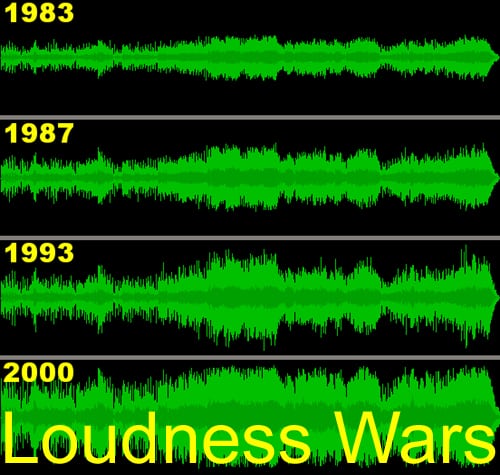
I think what’s happened is that CDs got out of control. Maybe it is due to the fact that the artist/label demands it to be louder than everybody else’s master. The whole loudness war started with the 7” single and in cafés and jukeboxes because every artist wanted their 7” single to be played back in the café louder than the other records. That’s the first loudness war. But the loudness of a record or a loudness of a CD doesn’t really matter on radio or television because they have multiband limiters to take it to a certain level anyway during broadcast. And so for that fact is iTunes, it stops at a certain level. If it’s too loud, it gets turned it down. If it’s too quiet, it get turned it up.
You mean the iTunes player?
Yes, iTunes playback. The whole loudness war got really out of hand, especially when there’s only a certain amount of level you can put on to a digital device, after that it starts clipping and goes into red distortion. Digital distortion isn’t as nice as analogue distortion. It tends to end up just being a crackly annoying sound. Analogue distortion can take on some sort of interesting facets where it becomes quite pleasing. So with everyone wanting their CD louder than the next guy’s, someone ended up writing software and implementing that into devices at the hardware level, which is called “Look-Forward Limiting“. This is where the limiter basically looks at the transient’s absolute peak, or the most significant bit of the program itself, and chops it off. It just squares it into a square wave, instead of a nice sine wave.
Hence the distortion?
Hence the clipping distortion. CDs just got louder and louder and louder and of course the one thing that really started to suffer was the music itself. The dynamic range started to decrease significantly. That nice transient deluxe kind of quality of the whole high frequencies where the most energy is, started to just simply get squared off.
So CDs, I guess, now started to sound more and more and more horrible and horrible…. and horrible.
You mean harsh?
Harsh, hard, abrasive and very confronting. The basic dynamic in digital is on and off. It’s a word. It’s a 0 or a 1. The basic dynamic in analogue is loud or soft. So there’s a big difference there between the two in a way that you’re listening to them. Either your ear is switching on or off or your ear is detecting loud and soft. It goes against the grain for the brain to switch on and off. It can slowly switch on and slowly switch off.
But I think that’s what’s encouraged this resurgence in vinyl music, apart from just the pure fascination of it, is where basically you do have limitations which you’re stuck to – if you make a record too loud, it physically won’t playback. The grooves will make contact with each other and cause skipping and jumping so that record is basically a failure. The way to make a record sound loud is in sound, not just its pure level.
You mean generally, or on vinyl?
Particularly on vinyl and, I guess in generally, you can apply that as well. You can make a record sound loud, without it actually being loud, just by the choice of frequencies that you apply to it. Commonly, if you apply upper mids to a piece of music, it’ll sound louder. It’s just the way the human ear works. So you can only go to a certain level with vinyl records and then you physically can’t go any louder. Vinyl records are pretty much generally within a couple of dB, all very much the same level. And the beauty of a good cut and a bad cut is in the way it sounds, not actually it’s levels.
But unfortunately what’s going on with CDs of late has now been misconstrued. What is a good CD, is it loud or soft? Because it’s irrelevant if it sounds good or not. It’s whether it’s loud or not. I’ve been asked as a mastering engineer to just smash it. And, as a mastering engineer, that’s almost like destroying your work.
Limiting
Steve Smart cutting a record at CBS in the 1980s
You do what you’re instructed to do by the client, within your recommendations. But then if they bring out a CD that’s had look-forward limiting applied in the recording process and look-forward limiting applied in the online mixing process and look-forward limiting applied to the mastering process, versus something that hasn’t had any compression or limiting at all, it’s almost impossible to match that without destroying the pure sonic integrity of the music itself.
You know, there’s a lot of CDs out there that I’ve bought because I like the music, but I don’t play very often.
Because they’re too loud?
Well they’ve been, I guess, destroyed by this ever increasing need to have a loud CD. I mean, I can to listen to it but I can’t exactly be too close to the speakers. That’s probably being a little too fussy, but I’ve got to pretty much ”put the stereo on and go in the backyard” because it’s just too annoying to be too close to the speakers.
But you know, when you get a vinyl record, you are almost drawn to the speakers. You’re invited in to what’s being played for you.
So all things being equal, does vinyl sound better than CD?
I think vinyl does sound in some ways better than CD because of the limitations that the medium applies on the music. But CDs can – and do – sound better than vinyl if they are treated technically properly.
Admittedly, I’m not a big fan of the 44 kHz / 16-bit sound. I don’t really think, that in its vocabulary, it truly understands harmonics. I’ve recorded pianos on analogue and I’ve recorded pianos on digital. And the analogue recording sounds like a piano. The digital recording sounds like a keyboard.
It’s the same microphone, at the same level – I remember reading somewhere, some bizarre misconception that they didn’t really want the public to have any more capability of digital recording because it was getting far too close to the realms of military spec!
Really?
So they restricted it – Well, apart from the obvious case that you can’t really fit that much data on a one-sided 700MB-ish disc, it can only be done either at the sacrifice of the sampling frequency or at the sacrifice of the bit depth.
So there was an equal trade-off between 44 kHz, which was deemed acceptable and 16-bit, which was deemed acceptable for digital.
So what about 24/96 or any variation thereof, as opposed to vinyl?
I much prefer the sound of 88 kHz / 24-bit. I think that just seems to sound a little bit better than 96 kHz / 24-bit. To me anyway, sitting in here, I just find that there’s a little bit more subtlety about the recording itself at the 88 kHz frequency.
Why is that?
I’m not quite sure whether what I’m hearing, but there does tend to be a coldness about the 192 and 96 kHz sampling frequencies. Whether it’s paying too much attention to the real sound and not masking some details of it, and you’re actually hearing too much information, or – I’m just not sure, but 88 kHz / 24-bit is capable of recording and playing back natural sounding instruments like trumpets, and particularly wind instruments, very well. You end up hearing a lot of that natural distortion and intermodulation that you get from trumpets and trombones.
In the harmonics?
Absolutely.
So analogue doesn’t necessarily sound better than digital?
I think that, you know, it’s a personal thing. When you’re listening to vinyl as versus CD, vinyl has more inherent side effects to the music than the CD. If the digital information is properly recorded and properly mastered and played back with a much more musical and sympathetic approach to doing the job, rather than actually just flippantly slamming it down, CDs can sound better than vinyl. In fact, they do. But, you know, it’s just simply the constraints of the vinyl medium that prevent you from overdoing it, in which case, you know, there’s quite a lot of CDs out there that are overdone.
As in there’s too much room for abuse with what you can do with it?
Absolutely. There’s just far too much room for error. There is no room for error in vinyl, either it’s a good sounding record or it’s shit. And it’s quite clear and obvious. If there is a problem, physically it will not playback correctly and therefore it probably won’t get through quality control. But who’s to say what’s deemed acceptable in the days of CD mastering. There’s very little quality control. Well, [they’re] certainly not played and checked by someone when the CDs are being pressed.
Is that why we listen to our masters in their entirety before we send them out?
That’s correct.
However….
In saying that, I think that CDs can sound very much like we want them to sound. Warmer, much more in characteristic with, the sound that you get from a vinyl record. A mastering engineer who has actually cut records for a long period of time and who understands the process and has the right equipment, whether that equipment be analogue or digital, can master a record sensibly and not make it harsh and un-wanting.
Because of their experience more so than anything else?
Yes, experience.
When you’re mastering nowadays for vinyl as opposed to CD, are you taking a different approach to each master?
Yes, definitely. There’s a requirement of the way people want their stuff to sound as far a CD is concerned. And then there’s the complete no-go zone for mastering it for vinyl, where you just can’t get away with that sort of stuff. So, the difference between mastering specifically for vinyl and CD is that you have to pay very strict attention to the low frequencies. You have to whittle out all of that dangerous overly wide stereo low frequencies and you have to pay serious attention to the high frequency transients and make sure that they’re not too fast or not too abrasive or don’t contain too many extraneous unwanted high frequencies. So you, musically I suppose, smooth it over a bit and make it a little bit softer. There’s also no need whatsoever to apply any of the digital gain structuring, such as the look-forward limiting to turn it up because it’s completely useless, because there’s only a certain level you can cut that vinyl record out at, which is dictated by its duration. So then comes the artistic and loving application of compression. Whether that be analogue or digital, whichever you choose. But in good old school compression and good old fashioned limiting, it makes up this lovely musical piece of mastering. But I tend to utilise the approach of mastering for vinyl, and mastering for CD, in everything I do.
Either it sounds right or it sounds harsh and brittle. And depending on the original source recording, unfortunately some of the recordings you get aren’t really done to their best possible advantage, but you get what you’re given to work with and you try and bring the best out of that as you possibly can, with the equipment you’ve got.
When you’re mastering for CD, you’re pretty much hearing in the studio how the CD is gonna end up, right?
Very much. I mean there’s not gonna be much difference between what you’re hearing in this studio and what you’re hearing at home. CD replication and duplication is so good these days that what you give is what you get.
How about vinyl?
With vinyl, we try and make the assumption with garnered knowledge as to what’s necessary to get that song onto a piece of plastic and playing back the best it possibly can.
Is there a bit of imagination as to how ‘what you do now’ affects the final Vinyl pressing?
CBS vinyl automatic presses (1968-1991)
There is a little bit of imagination, some knowledge that you’ve gained from having done it before. But it’s also good to know exactly where you’re sending it to be cut. If you’ve already got that place in mind and you’re fully aware of their capabilities and the equipment that they use, you can pretty much guarantee that what you send them, you’ll get back. But that can’t always be the situation, particularly if you don’t have control over where it is being pressed.
One of the most important aspects of mixing a vocal and getting it to sit in your mix is the amount and type of reverb you apply to it. Reverb is critical to create depth and space around your vocal. A favourite technique of mine for a lead vocal (especially in pop music or hip hop) is to use 2 reverbs, where the vocal needs to be way up front but still sound connected to the rest of the mix.
First up we want to create a mono aux send and place a clean and modern sounding reverb, in MONO. My favourites for this are Waves RVerb, UAD Dreamverb,
Valhalla Room or the old faithful D-Verb. You want to have this panned directly in-line your vocal (9 times out of 10 this is going to be dead centre). Set your reverb up with a short pre-delay 2-3ms on a small room setting with a short time setting that decays away nicely with your vocal. When you turn up your Aux send, you should hear something between a slapback and a room sound. The idea with this reverb is, to actually bring the vocal forward in the online mix, an effect that is created by the short pre-delay. If you walk towards a wall talking/singing you will notice that when you get really close to the wall there is a noticeable short slap. By creating this reverb with a short pre-delay, we create a feeling of standing right in front of the vocalist. It is important that this reverb is in mono as we don’t want it to spread the vocal out at all in our stereo field. One plug-in worth mentioning at this point is the UAD Ocean Way; it is capable of this effect with amazing clarity and can really add “that” sound to your vocal – it’s expensive but totally worth it!
For the second reverb we want to create a separate STEREO send, and place a vintage style plate (or spring). I like to use the UAD EMT 140 but the Valhalla Vintage is cool as well. The setting can be a little less precise here with basically a long plate verb that fits your mix in terms of time and tone. The only key setting is a long pre-delay 30-50ms. You want to set the level of this verb to just where it starts to disappear in the mix, although how much you add will depend on the style of your track, i.e. more for a ballad, less for a rap. This will help your vocal sit back and blend the rest of the elements. You can also send other parts of your mix like, pads, rhythm guitar or drum overheads to this stereo verb, which will further gel the vocal with the other elements by putting them in the same “space”.
If you use this technique and tweak it to your mix you will end up with a vocalist that sounds like they are standing right in front of your face in a large space. Giving you that in your face sound, without appearing separate to the rest of your track.
[Jack Prest is an In-house Producer/Engineer at Studios 301]
SSL and Neve are the two most recognised names in professional mixing console history. For decades, engineers and producers have debated which sounds better, which is more versatile, and which delivers the best results. The truth is that both are exceptional, but they are exceptional in different ways.
At Studios 301, our engineers have spent years working on both SSL and Neve consoles across thousands of sessions. Here is how the two flagships actually compare, from the engineers who know them best.
The Sound of SSL
SSL (Solid State Logic) consoles are known for their clarity, precision, and bandwidth. The SSL sound is often described as “clean” or “transparent,” with a wide open frequency response that allows every element of a mix to occupy its own space.
Key characteristics of the SSL sound:
Wide bandwidth. SSL channel strips handle the full frequency spectrum with minimal colouration, giving the engineer a neutral starting point. This makes SSL consoles particularly well suited to mixing, where the goal is to balance many sources without adding unwanted colour.
Defined low end. The bass response on an SSL tends to be tight and controlled rather than warm or rounded. This is an advantage in genres where low-end precision matters, such as pop, hip-hop, and electronic music.
The “SSL edge.” Many engineers describe a subtle brightness or presence in the SSL signal path. It is not harsh, but it adds a sense of definition and forward energy to a mix.
As Studios 301 mastering engineer Leon Zervos notes, the SSL sound is “less coloured” than the Neve, but it has a certain “edge” that gives mixes forward momentum.
The Sound of Neve
Neve consoles are known for their warmth, harmonic richness, and a distinctive “musical” quality that engineers often describe as three-dimensional. Where SSL aims for transparency, Neve adds colour, and many engineers consider that colour to be one of the most desirable sounds in recording.
Key characteristics of the Neve sound:
Fast transient response. Despite the warmth, Neve preamps have a very fast slew rate, meaning they capture transients openly and accurately. Engineer Mitch Kenny, who has worked extensively at Studios 301, points out that this makes Neve preamps particularly effective for tracking, where capturing the detail and energy of a live performance is critical.
Warmth and thickness. The Neve signal path introduces subtle harmonic saturation, particularly in the low mids, which gives recordings a sense of depth and weight. Leon Zervos describes the Neve 88R’s sound as “warm and thick, with a nice element of presence when the EQ is enabled.”
Transformer character. Neve microphone preamps use input transformers, which shape the signal in a way that adds musical complexity. This is a significant factor in the “Neve sound” that engineers and producers value so highly.
How They Compare: Recording vs Mixing
One of the most consistent observations from engineers who have worked extensively on both is that each console has a natural strength:
Neve for recording. The combination of transformer-based preamps, harmonic richness, and fast transient response makes Neve consoles ideal for tracking. Vocals, drums, strings, and acoustic instruments all benefit from the depth and character that the Neve signal path introduces.
SSL for mixing. The SSL’s clean signal path, wide bandwidth, and more forgiving dynamics processing make it an excellent mixing environment. When you are working with 40 or more tracks simultaneously, the SSL’s neutrality allows more to “fit” in the mix without elements fighting for space.
Engineer Jono Baker once ran the same session through both a Neve and an SSL. His conclusion: the SSL preamps sounded “muddier” by comparison for recording, while the Neve preamps were “cleaner, more detailed, and better suited to recordings where the sound needs to be as open as possible.” This was particularly evident on orchestral and acoustic material.
This is why, as producer Ivan Gough once put it, the conventional wisdom is: “Track on Neve, mix on SSL.” It is a generalisation, but it reflects the natural strengths of each platform.
SSL vs Neve: The Engineering Differences
Beyond the subjective listening experience, there are concrete engineering differences between the two console families:
Feature
SSL (e.g. 9000 series)
Neve (e.g. 88 series)
Mic preamp design
Electronically balanced, no transformer
Transformer-coupled input
Signal path character
Clean, transparent
Coloured, harmonically rich
EQ voicing
Precise, surgical
Musical, broad strokes
Dynamics section
VCA-based (punchy, aggressive)
Diode-bridge or VCA (varies by model)
Automation
Intuitive, industry-standard
Sophisticated but complex
Best suited for
Mixing, post-production
Tracking, orchestral recording
It is worth noting that the Neve sound varies significantly across different eras and models. A vintage Neve from the 1970s sounds quite different from a modern Neve 88R, and there have been several models in between with substantially different designs. In the SSL camp, the evolution from E-series to G-series to K-series has been more gradual, with the core SSL character remaining more consistent across generations.
We also asked some friends out there on their thoughts:
“Tracking on a Neve is nice and creative, SSL for mixing. Having spent many years working with Spike Stent on his G-Series with non-linear summing, it’s a revelation!”
Lee Groves, Producer/Mix Engineer
SSL vs Neve in Plugin Form
For many producers and engineers today, the SSL vs Neve question extends beyond hardware. The sonic characteristics of both console families have been meticulously modelled as software plugins, making their sound accessible to anyone working in a DAW.
Notable SSL plugin emulations:
Waves SSL E-Channel and G-Channel (channel strip)
UAD SSL 4000 E and G series
Brainworx bx_console SSL 4000 E and G
Plugin Alliance SSL Native channel strips
Notable Neve plugin emulations:
UAD Neve 1073 Preamp and EQ
Waves Scheps 73 and V-Series
Brainworx bx_console Neve 88RS
Plugin Alliance Lindell Audio 80 Series
These plugins capture the tonal characteristics of their hardware counterparts with impressive accuracy. While the experience of mixing through a physical console involves more than just the signal path (the tactile feedback, the summing behaviour, the room), plugin emulations give producers a reliable way to access the SSL or Neve “flavour” within a digital workflow.
Many professional studios, including Studios 301, use a hybrid approach that combines analog hardware with digital tools. The plugins serve as creative shaping tools in the mix, while analog outboard processing and monitoring chains provide the depth and dimension that hardware delivers.
Whether you are working with hardware or plugins, the goal is the same: finding the tonal character that serves the music. If you would like our engineers to bring that character to your recordings, explore our online mixing service or learn more about what mastering involves.
Which Console Is Right for Your Music: SSL or Neve?
The SSL vs Neve choice is ultimately about what serves the music. Here are some practical guidelines:
Consider SSL or SSL-style processing if:
You are mixing dense, multi-track productions (pop, hip-hop, electronic)
You want a clean, precise foundation that lets every element sit clearly
Your mix needs tight, controlled low end
You prefer to shape the sound surgically with EQ and compression
Consider Neve or Neve-style processing if:
You are recording live instruments (drums, strings, vocals, acoustic guitars)
You want warmth, depth, and harmonic richness in your source recordings
Your production style values character and texture over clinical precision
You are working with sparser arrangements where tonal quality is front and centre
Of course, many records use both. It is common for an album to be tracked through Neve preamps for the warmth and detail they bring to the recording, then mixed on an SSL (or with SSL-modelled processing) for the clarity and headroom the mix stage requires.
Frequently Asked Questions
What is the main difference between SSL and Neve consoles? SSL consoles are known for clarity, precision, and a transparent signal path that is well suited to mixing. Neve consoles are known for warmth, harmonic richness, and transformer-coloured preamps that excel at recording. Many engineers describe the difference as “clean vs coloured.”
Which is better for recording vocals, SSL or Neve? Most engineers prefer Neve preamps for vocal recording because of the warmth and harmonic character they add. The transformer-coupled input stage gives vocals a sense of depth and presence that many listeners find immediately appealing. That said, some engineers prefer the clarity of an SSL preamp for certain vocal styles.
Can I get the SSL or Neve sound with plugins? Yes. Both SSL and Neve channel strips have been modelled as high-quality plugins by companies including Universal Audio, Waves, Brainworx, and Plugin Alliance. While plugins do not replicate the full experience of mixing on a physical console, they capture the tonal characteristics with impressive accuracy.
Is SSL or Neve better for mixing? SSL consoles have been the industry standard for mixing for decades. Their clean signal path, wide bandwidth, and punchy VCA compression make them ideal for balancing complex mixes. Neve consoles can also be used for mixing, but their stronger tonal character means the engineer needs to account for the colour the console introduces.
Why are SSL and Neve consoles so expensive? Large-format analog consoles represent decades of engineering refinement, use premium components, and are built to professional broadcast and studio standards. A new SSL or Neve console can cost hundreds of thousands of dollars, which is why they are found primarily in major commercial studios and why plugin emulations have become such a popular alternative.
Work with Studios 301
Whether you are looking for professional online mastering with engineers like Leon Zervos and Steve Smart, online mixing, or want to discuss a recording session at our Surry Hills studio, our team brings decades of experience across every genre and format.
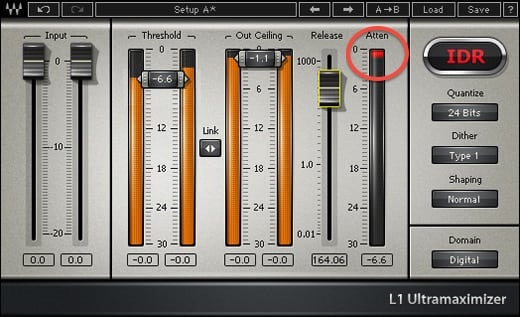
Now this one isn’t exactly my tip, I get this one from watching Pensado’s Place, but it’s great so I wanted to share. Basically it’s a way to get that uber brick wall L1 limiting, without getting all the distortion that this plug-in can create.
Insert an instance of the L1 on your channel and bring the threshold/out ceiling down till you just start to see the smallest amount of gain reduction. Then push the out ceiling up to between -0.5dB & -1dB. Then tweak the release time to suit your sound source.
Finally, copy this L1 instance two or three times in serial, and there you go.
Epic brick wall, minimal distortion!
Jack Prest is an In-house Producer/Engineer at Studios 301
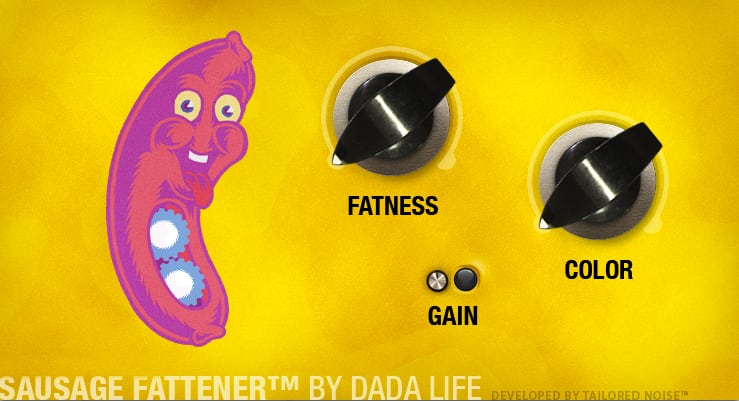
This is one of my favourite distortion units and its amazingly cheap (get it here http://www.dadalife.com/sausage-fattener-plugin/). It’s great for creating super gnarly crunched up distortions, but one of my favourite things to do with this plug-in is to use it on the master bus, or even in mastering itself.
If you have a mix that is overall a little bit dull, stick this little bad boy over the stereo mix leaving the Colour at 0 – then bring the Fatness up to between 1-4%. This will had some extra harmonic content giving your track life without noticeably changing the tone of your mix.
Something to be aware of – the gain indicator is actually for the INPUT Signal level into the plug-in. If it’s going red, it means you are digitally distorting the plug-in’s input, which is (generally) a bad idea, so back it off till it’s not clipping.
Jack Prest is an Inhouse Producer/Engineer at Studios 301.
This time, our Studio Philosopher talks about a word that you will probably hear more than any other in a studio session, “vibe”. Very much an abstract concept, and one that some engineers avoid like the plague, it basically means that the energy and feeling in the room will influence the quality of the recording, in particular the performance. For some engineers this also extends to the mixdown.
Some studios and engineers use coloured or low lighting and special furnishings to create a vibe in their rooms. Studios are occasionally built in lush natural surrounds and have extra facilities like, housing, swimming pools, games etc that can all help to create a particular atmosphere for the recording environment (check out Real World Studios). Even in a small setup it’s a great idea to have some different lighting options (lamps, fairy lights etc) and a comfortable couch/seat for you client.
All of these superficial things aside, the concept of vibe, goes a little deeper… Most important is to create a fun, relaxed and comfortable environment for the talent. Key to doing this is not necessarily cool lighting (although it doesn’t hurt) but your manner as an engineer. Always be friendly and welcoming, make the client feel like a guest in your home and that if they need something they can feel free to ask.
Secondly, know your stuff! Nothing kills the vibe in a room more than you messing around because something has gone wrong and you don’t know what it is. Further to this if there is a problem that you can’t fix, be honest, the client will appreciate you being up front and can relax while you get the issue sorted, rather than standing around while you mess about. Third, be positive. Especially on long sessions, the ability to keep the mood up is essential.
If you are asked for feedback, make sure it is honest, but looks towards what is good and what can be improved, as opposed to what was done wrong. Lastly don’t be afraid to take a break. Even if you are on a tight schedule, often the best remedy for a trouble take or mix is to step back.
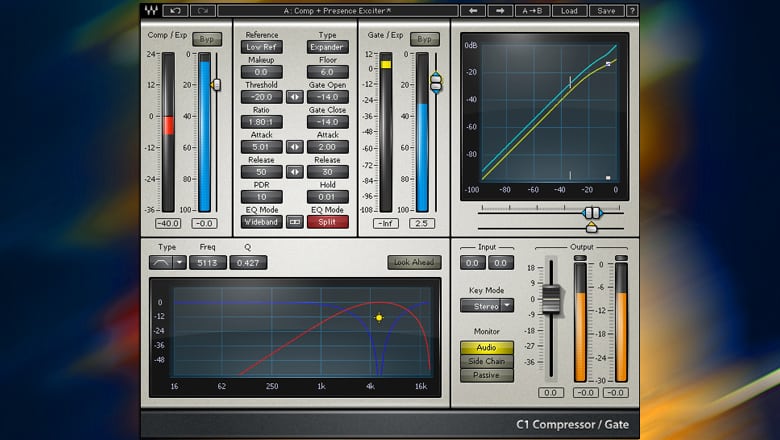
Here’s a little trick I found the other day with one of my favourite swiss army knife compressors, the Waves C1. It’s especially good for snare drums and toms. If you find your drums are a little bit too snappy, especially with a really hard stick sound, this setting can work a treat to control that snap while retaining the drum sound’s dynamics.
First, you want to set the attack and release settings as fast as possible (one of the best features of this compressor is the wide scope for adjusting attack and release times), then crank up the ratio to at least 30:1 leaving the threshold and the makeup gain at 0. If you feel the need you can play with the ratio and release time, but pretty much it’s a set and forget.
Jack Prest is an Inhouse Producer/Engineer at Studios 301
I am the Studio Philosopher and I have been enlisted by Studios 301 to share some of my thoughts and knowledge about all aspects of studio life. Much of what we do in the studio is technical, but these technical aspects are influenced and informed by less tangible qualities. Over the coming months I will provide insight into ways have thinking that may influence your studio practice or at the very least make you analyse how you work.
To begin we will appropriately start before we even get into a studio session with Preparation.
In many ways preparation is at once one of the most important and overlooked aspects of a recording or mixdown session. An engineer (or assistant) who is across all aspects of an upcoming session and has the necessary setup in place before a session starts will almost always provide for a stress-free (or at least less) and productive session.
The first key in preparation is knowing your equipment. This means before you even have a conversation with a potential client you should have an intricate knowledge of the operation of your setup, hardware and software. From a large studio to a basic laptop rig be aware of possible eventualities and troubleshoot them long before you bring anyone else into the room. This means spending the hours with your equipment and software, watching tutorials, and READING THE MANUAL!
Now that you know your setup, you’ve got a client booked and a session approaching. It is essential for you to make contact via email and/or phone to clarify exactly what the client requires. In larger environments request a tech list and room setup sheet. Even if your recording a mate in your bedroom having a clear idea of exactly what and how the want to record/mix is going to make your life easier on the day and also make you look super professional.
Once you’ve received all the technical specs and info for the session the next step is to set up your session the day/night before. This means you can troubleshoot any last minute issues (of which there is almost always at least one) without a client over you shoulder. It also means on the morning or the session, when things can get a little chaotic, you can be in a position to make minor adjustments and handle new client requests rather than doing basic setup.
This level of preparation is a bare minimum for anyone working in a large studio environment and I believe is essential no matter the size of your setup. This hard work beforehand enables you to focus on creativity and magic making during a session.
If you’ve finished recording and mixing a track, there’s one more step before it’s ready for the world: mastering. But what does mastering actually involve, and why does it matter?
Audio mastering is the final stage of music production. It’s the process of preparing a finished mix for distribution, whether that means streaming on Spotify and Apple Music, pressing to vinyl, or broadcasting on radio. A mastering engineer listens to the completed mix with fresh ears, applies corrective and creative processing, and optimises the audio so it translates well across every playback system.
At Studios 301, our mastering engineers have worked on thousands of releases across every genre, from classical and jazz to electronic and pop. Here’s what the process actually looks like.
What Does a Mastering Engineer Do?
Mastering involves two distinct phases: corrective processing and creative processing.
Corrective Processing
The corrective stage addresses technical issues in the mix that may not have been apparent in the mixing environment. Every studio room has its own acoustic character, and mix engineers make decisions based on what they hear in that specific space. This can introduce subtle imbalances that only become obvious on other systems.
Common issues a mastering engineer corrects:
Frequency imbalances (too much bass, harsh high end, muddy mids)
Stereo imbalance or phase problems
Inconsistent dynamics (sections that jump in volume unexpectedly)
Unwanted noise, hum, or digital artefacts
Lack of definition in the low end
Buried vocals or instruments
The tools used at this stage include EQ, compression, multiband compression, stereo imaging, and limiting, applied with a light touch. The goal is not to alter the mix, but to polish it so it sounds its best across a wide range of playback systems, from studio monitors to phone speakers.
Creative Processing
This is where the mastering engineer’s personality comes into play. Every engineer has their own aesthetic sensibility, their own sense of what makes a record feel finished. Some favour warmth and weight; others lean towards clarity and air.
The creative stage is a conversation between the artist’s vision and the engineer’s experience. A great mastering engineer enhances what’s already there, bringing out the qualities that make a record special. This is also why many artists develop long-term relationships with a particular mastering engineer: they find someone who understands their sound.
Mastering for Streaming in 2026
One of the biggest changes in mastering over the past decade has been the shift towards streaming platforms. Each major platform applies loudness normalisation, which adjusts the playback volume of every track to a consistent level. This has significant implications for how music should be mastered.
Current loudness targets by platform:
Platform
Loudness Target
True Peak Limit
Spotify
-14 LUFS (integrated)
-1 dBTP
Apple Music
-16 LUFS (with Sound Check)
-1 dBTP
YouTube
-13 to -14 LUFS
-1 dBTP
TIDAL
-14 LUFS
-1 dBTP
Amazon Music
-14 LUFS
-2 dBTP
What this means in practice: if your master is louder than the platform’s target, it will be turned down during playback. If it’s quieter, it will be turned up (within limits). This means that crushing a master to be as loud as possible, which was common during the “loudness war” era, no longer provides a competitive advantage on streaming platforms. In fact, it can make your music sound worse, because heavily limited tracks lose dynamics and clarity when turned down by the normalisation algorithm.
A well-balanced master in the range of -14 to -9 LUFS (depending on genre) with true peaks below -1 dBTP will translate well across all major platforms.
The desire to make records sound louder than the competition has existed since the days of vinyl. Known as the “loudness war”, this arms race accelerated through the CD era and peaked in the early 2000s, when many records were mastered at extreme levels that sacrificed dynamics for sheer volume.
The psychoacoustic reason is simple: when two recordings are played side by side, the louder one almost always sounds “better” to the listener (up to a point). This incentivised labels, DJs and radio stations to push for ever-louder masters.
Digital recording removed the physical limitations of vinyl and tape, making it technically possible to push levels even further. But the tradeoff was clear: overly limited masters sounded “squashed”, flat, and fatiguing. The music may have been louder, but it lost the dynamics and punch that made it feel alive.
Streaming normalisation has effectively ended the loudness war. When every track is played at the same perceived volume, there’s no advantage to being louder. The focus has shifted back to dynamics, clarity and musicality, which is exactly where mastering should be.
How Online Mastering Works
At Studios 301, we offer online mastering for artists and labels worldwide. The process is straightforward:
Upload your files. Submit your finished mixes through our online portal, along with any notes on your preferences (reference tracks, loudness targets, format requirements).
Our engineers master your tracks. Your music is mastered on the same equipment, and by the same engineers who have worked on thousands of major label and independent releases.
Review and approve. You receive your mastered files back (typically within a few business days).
Online mastering removes the need to travel to a studio while delivering the same professional results. Whether you’re in Sydney, London, or Los Angeles, you get access to the full Studios 301 mastering team.
How to Prepare Your Tracks for Mastering
Before sending your finished mixes for mastering, there are a few important steps to follow. Getting this right ensures the mastering engineer has the best possible material to work with.
Your checklist:
Remove limiting from the master bus. If you’ve been mixing through a mastering chain (such as iZotope Ozone or T-RackS), turn off the final limiter before bouncing. Leave any other processing that shaped your mix balance, but remove the brickwall limiting stage.
Check your levels. After removing the limiter, play back the loudest section of the track and make sure no signal exceeds 0 dB. Pull the output level down if needed to leave headroom.
Bounce at the project sample rate and 24-bit. Whether your session is at 44.1kHz, 48kHz, or 96kHz, bounce at the native sample rate. Always use 24-bit (not 16-bit) to preserve dynamic range.
Include reverb tails. Make sure your bounce extends past the end of the last audible sound, including any reverb or delay tails that ring out.
Label your files clearly. Include the track number, song title, and version (e.g., “01_SongTitle_Mix_v3.wav”).
What your waveform should look like:
You want visible peaks and valleys in the waveform, showing natural dynamics. If the waveform looks like a solid rectangle (a “brick”), the mix has been over-limited and leaves very little room for the mastering engineer to work.
You do not want this, which resembles a brick:
this is an example of an overlimited waveform.
A mix with healthy dynamics gives the mastering engineer the space to apply both corrective and creative processing. An over-limited mix is like handing someone a finished product and asking them to improve it: the options are severely restricted.
How to Choose a Mastering Engineer
Choosing the right mastering engineer is an important decision. Here are a few things to consider:
Listen to their previous work. Our mastering engineers have credits or a portfolio you can review. Pay attention to whether their work sounds the way you like within your genre.
Consider the relationship. Mastering is a collaborative process. An engineer who understands your style will deliver great results.
Understand the turnaround. For time-sensitive releases, confirm the expected delivery timeline before booking.
What is audio mastering? Mastering is the final stage of music production, where a finished mix is polished, balanced and optimised for distribution. A mastering engineer applies corrective processing (fixing technical issues) and creative processing (enhancing the overall sound), then formats the audio for the intended release platform.
How much does mastering cost? At Studios 301, mastering is priced per track or per album. Contact us for a quote based on your project. Online mastering is available for artists and labels worldwide.
Do I need mastering if I’m only releasing on Spotify? Yes. Streaming platforms apply loudness normalisation, but they don’t correct frequency imbalances, phase issues, or dynamics problems. Professional mastering ensures your music sounds its best on every platform and every playback system.
What’s the difference between mixing and mastering? Mixing is the process of balancing and processing individual tracks (vocals, drums, guitars, etc.) into a stereo mix. Mastering takes that finished stereo mix and prepares it for release, addressing overall tonal balance, dynamics, loudness and format-specific requirements.
How loud should my master be for streaming? Most streaming platforms normalise playback to around -14 LUFS. A master in the range of -14 to -9 LUFS (depending on genre) with true peaks below -1 dBTP will translate well across all major platforms.
Should I master my own music? While it’s technically possible, professional mastering brings a fresh perspective, a calibrated listening environment, and specialised tools and experience. An impartial set of ears on your music can reveal issues that are difficult to hear after spending weeks mixing.
Get Your Music Mastered at Studios 301
Ready to take your mixes to the next level? Studios 301 offers professional online mastering for artists, producers and labels worldwide.
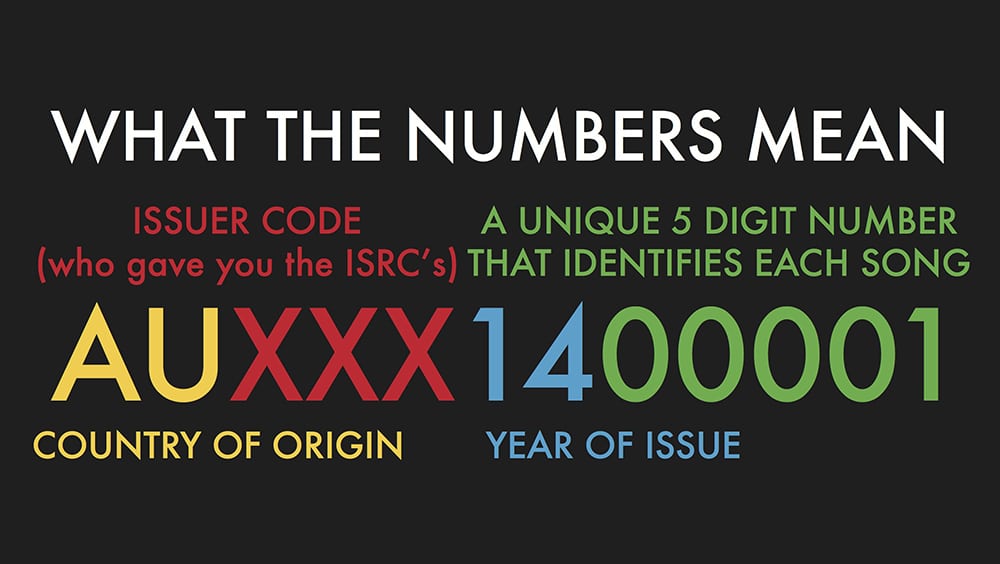

 it and edited the tape to get the arrangement. Once I was absolutely certain that the arrangement of the song on the tape was brilliant, I would then stripe it with code, and I would then sync it up to Pro Tools and transfer everything into Pro Tools. Then I would continue all my overdubs in Pro Tools. So I’d do all my vocals and vocal comps and guitar takes – and then once I finished, I would sync it up again. When I came to mixing, I would sync up the original 24-track analogue up to Pro Tools and I would mix. So about 50% of what I was mixing was absolutely analogue, analogue, analogue, all original. So the drums, bass, and main guitars were the analogue and all my guitar, keyboards, overdubs, vocal comps, backing vocals, and strings sections would be on digital. I did that for many, many years, probably ten years.

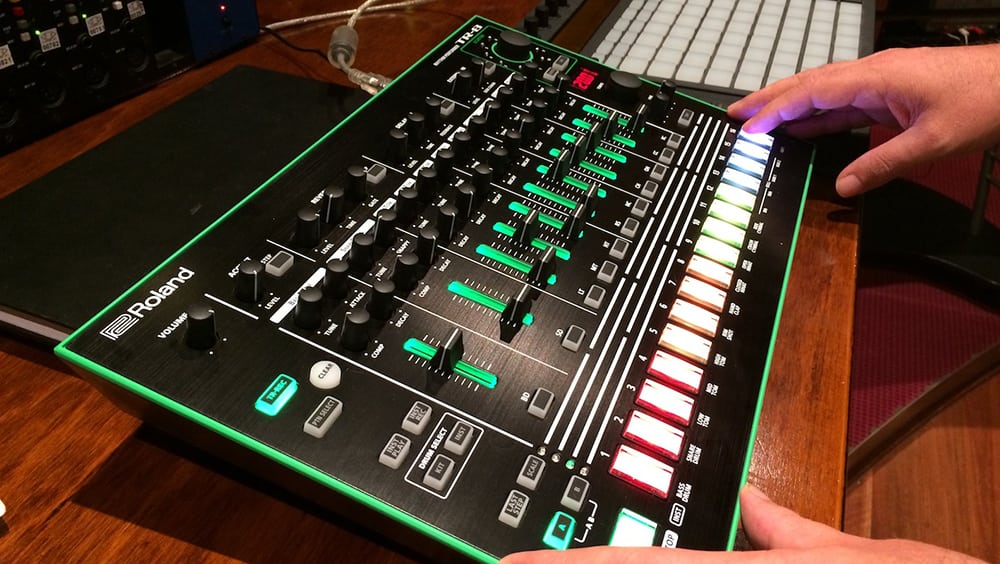


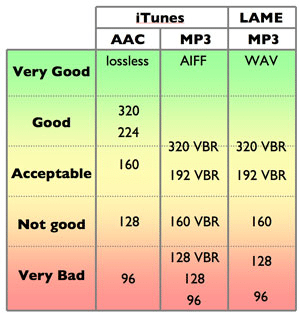


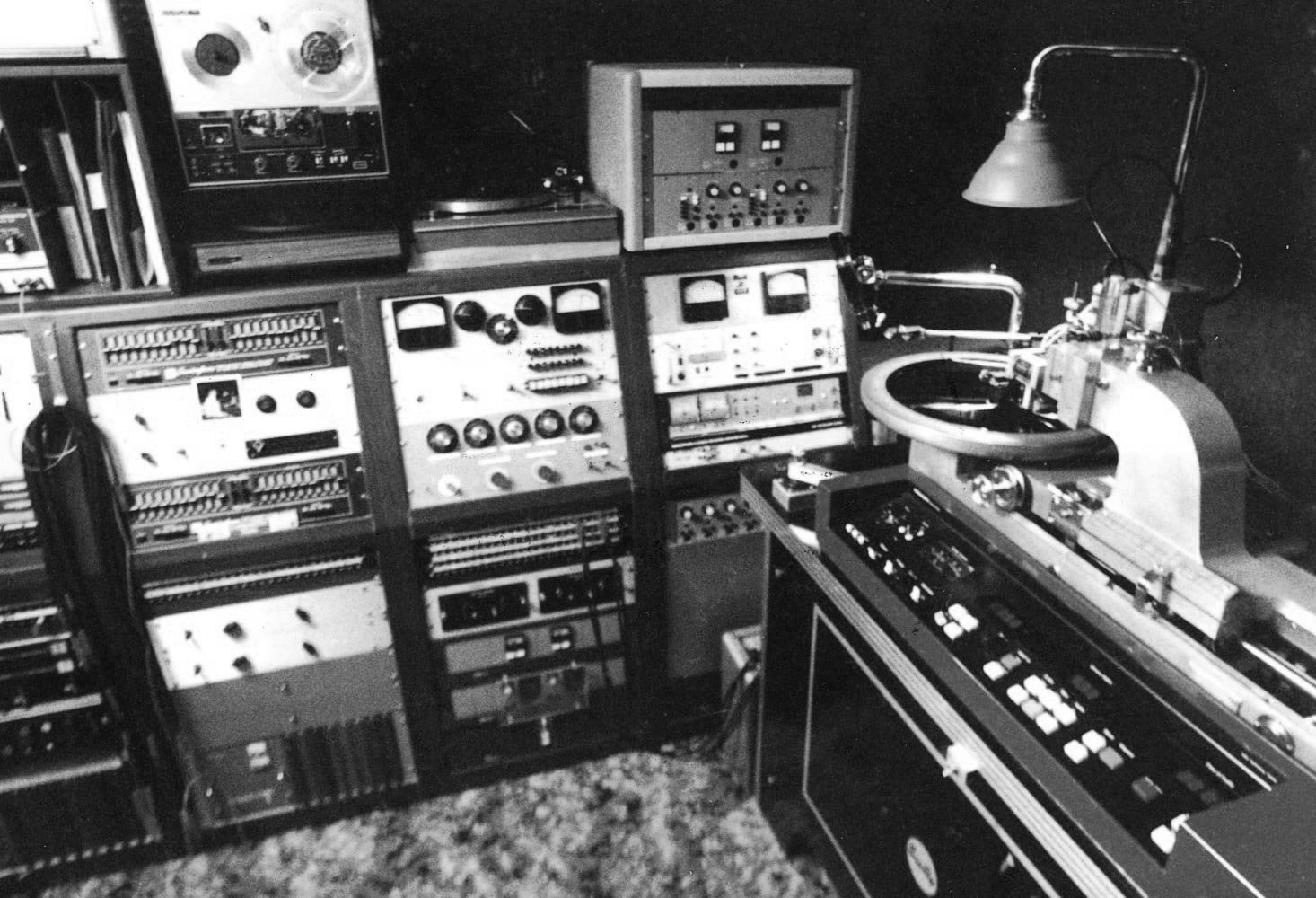
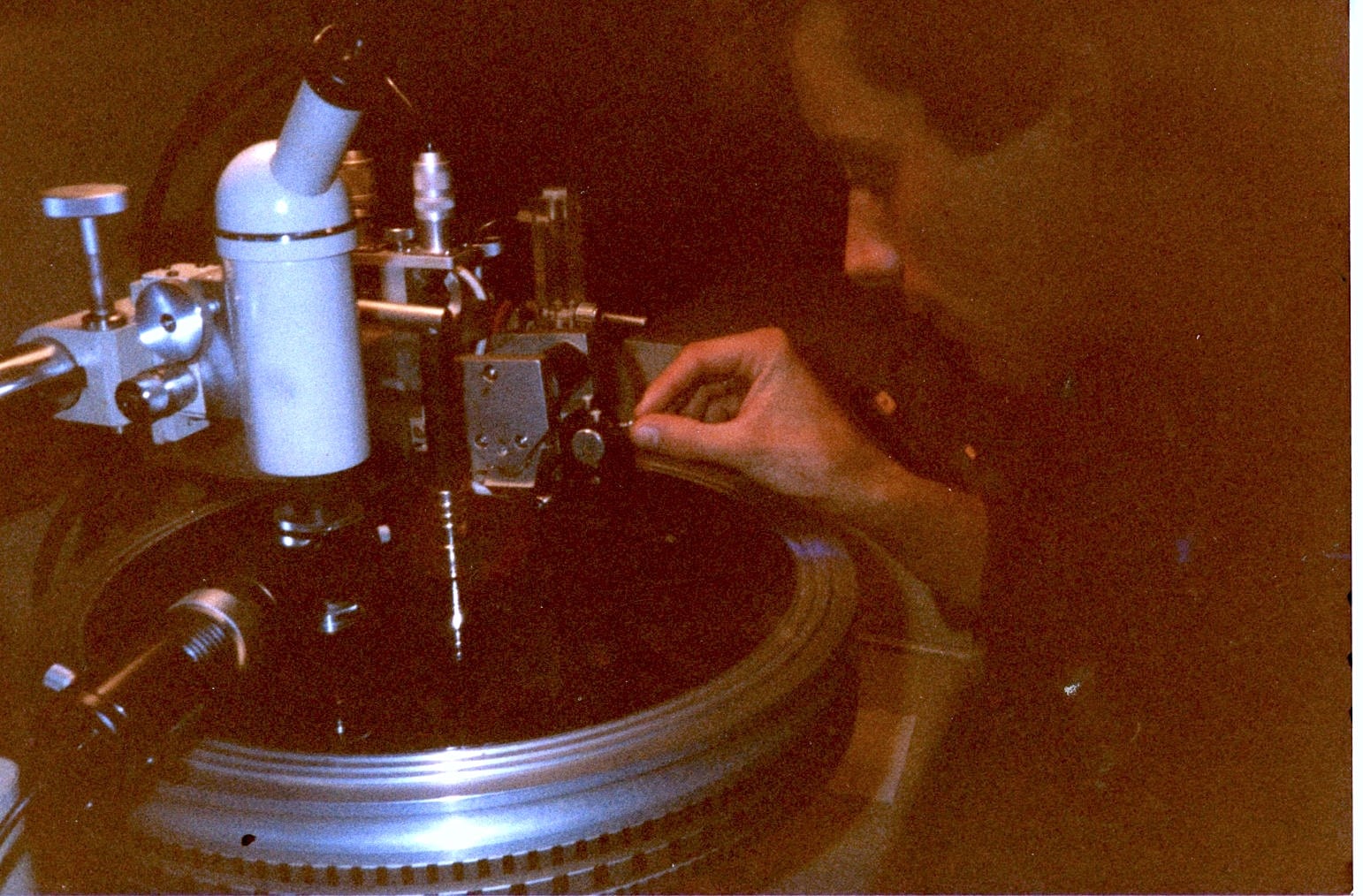
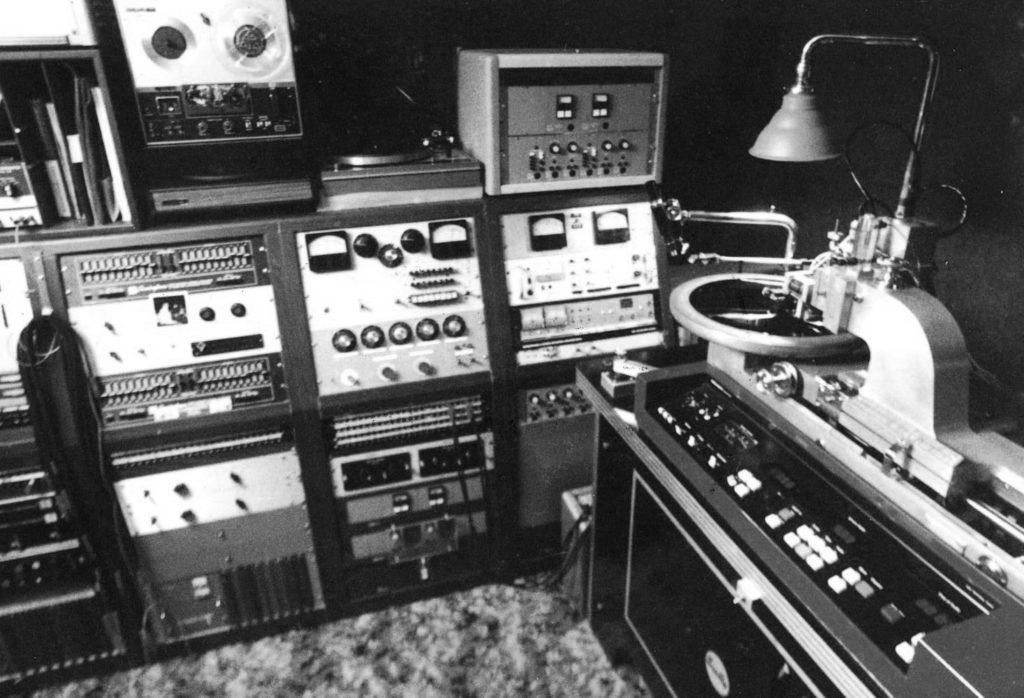
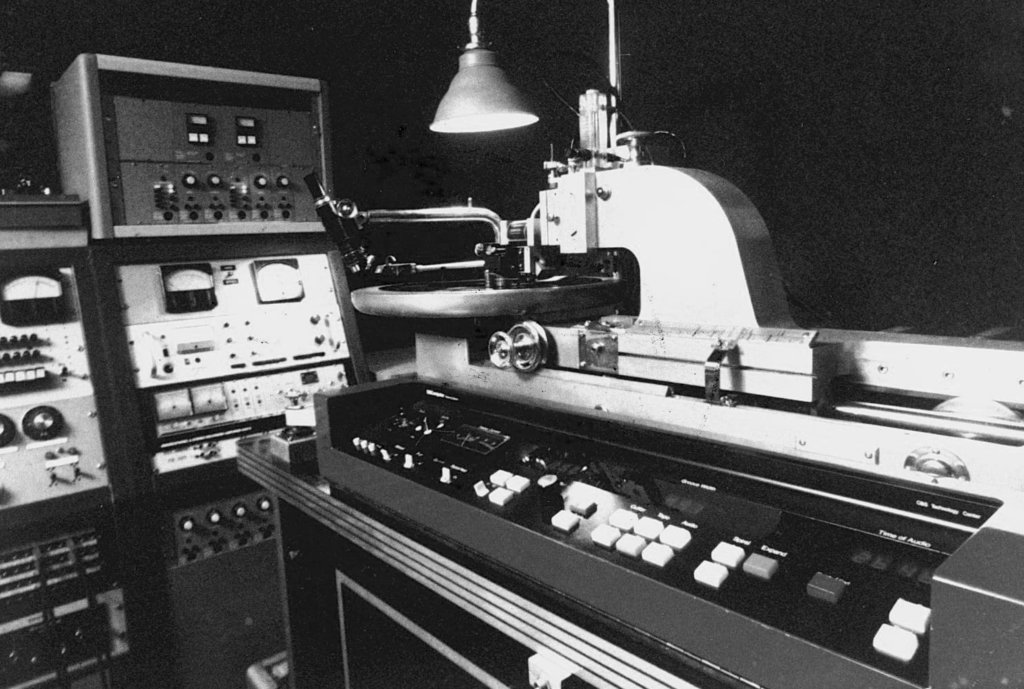
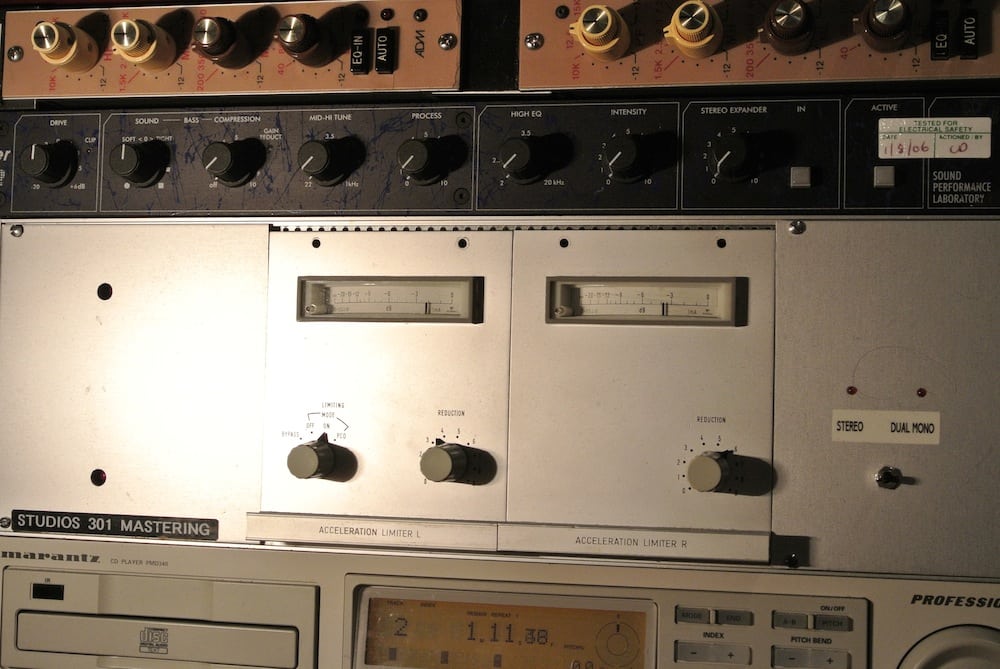
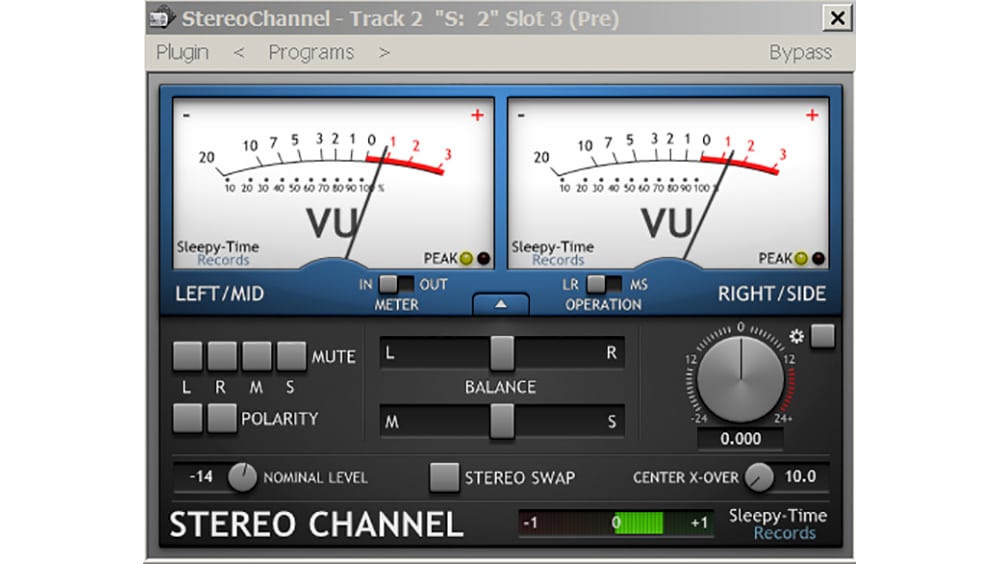
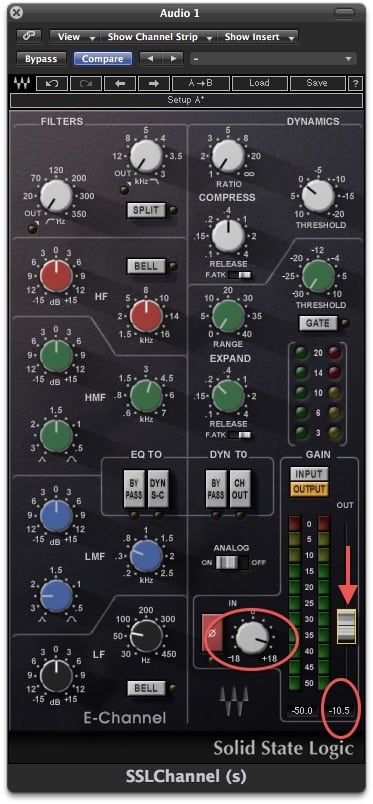
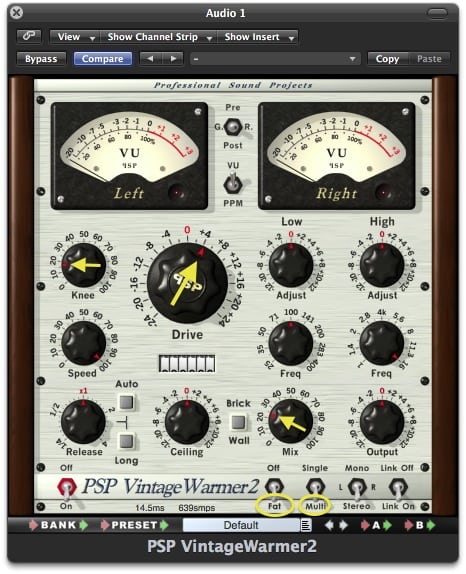
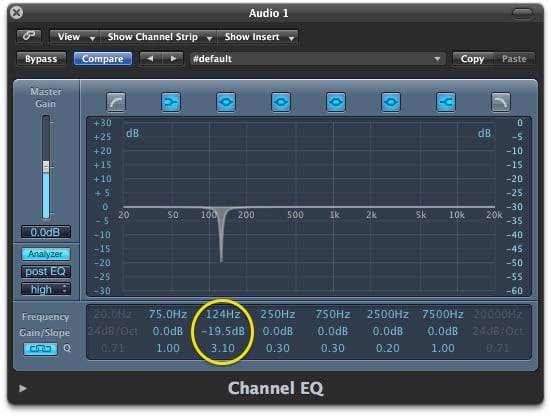
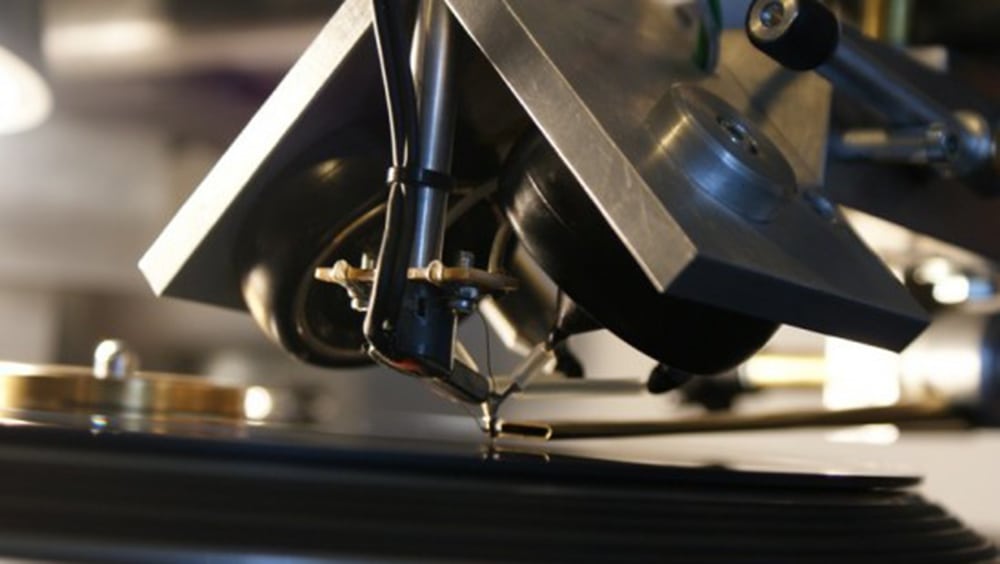
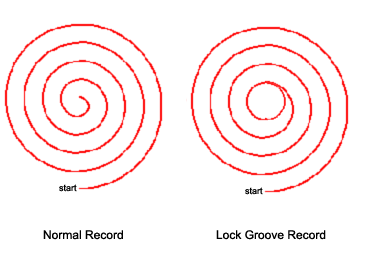
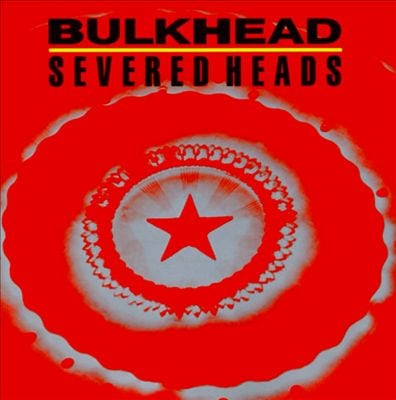


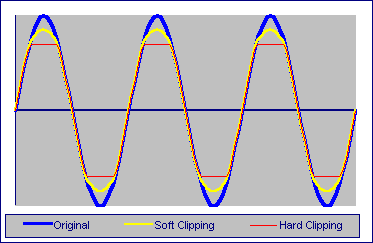
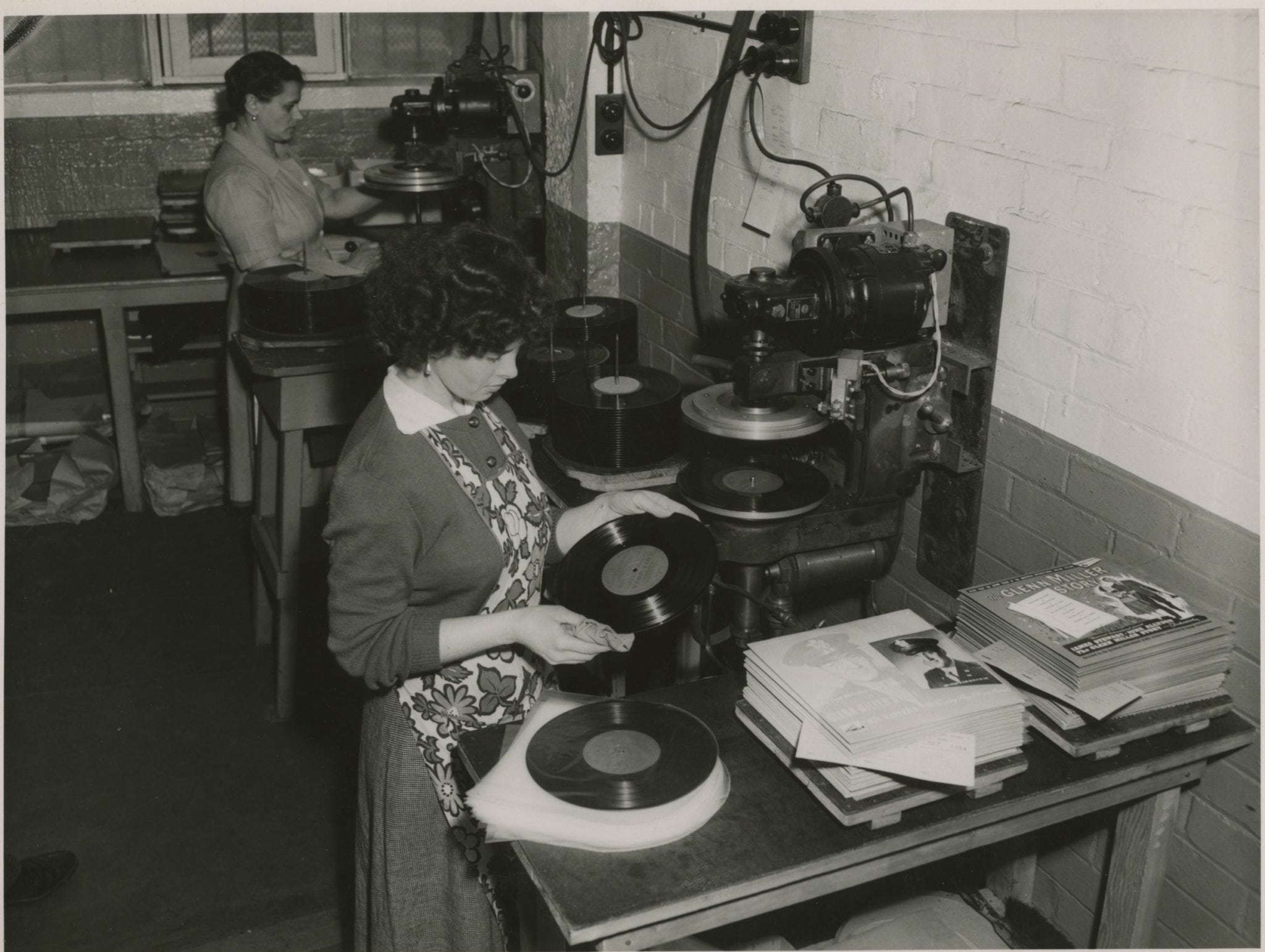

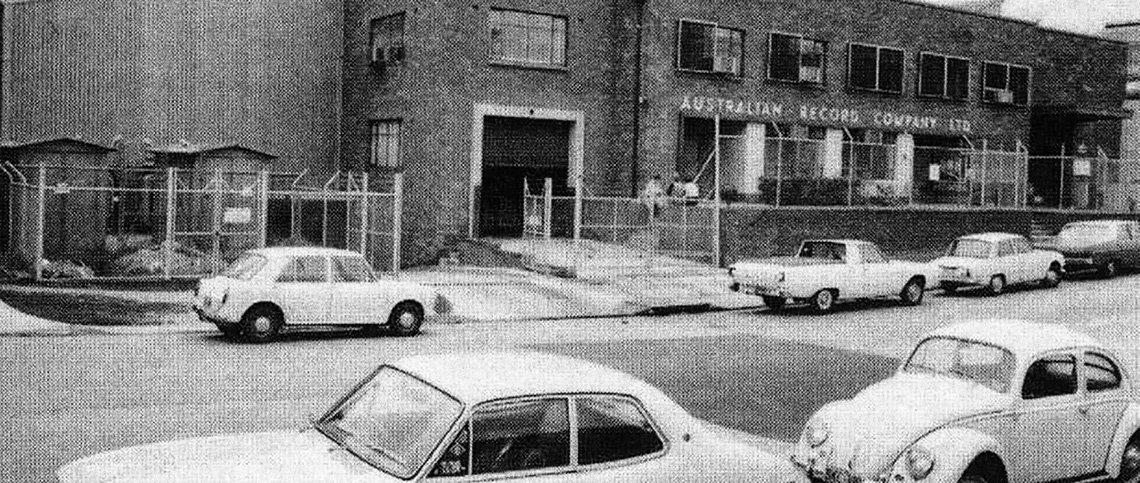
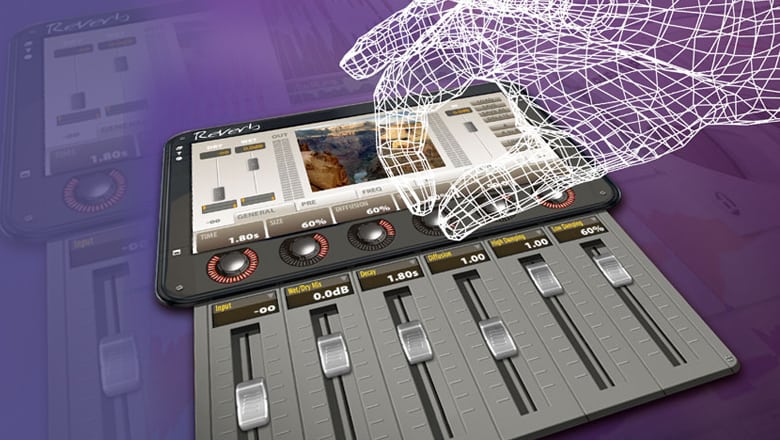
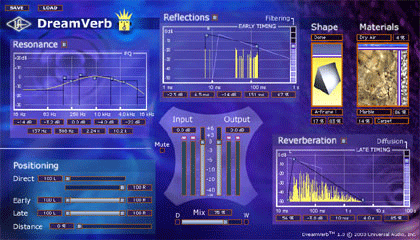
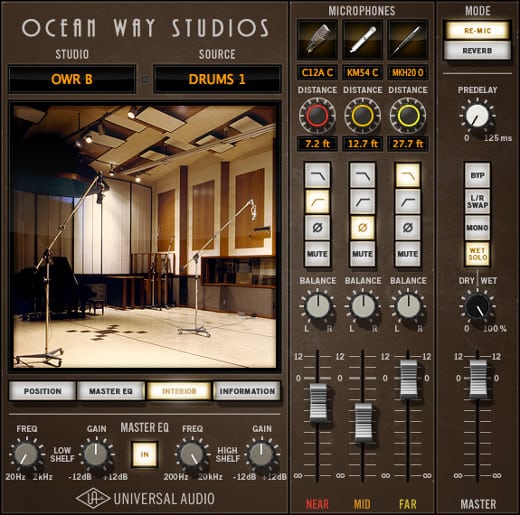 UAD Ocean Way; it is capable of this effect with amazing clarity and can really add “that” sound to your vocal – it’s expensive but totally worth it!